 PH
PH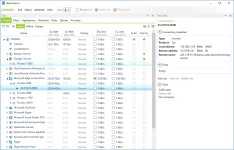
NetLimiter is an ultimate internet traffic control and monitoring tool designed for Windows. You can use NetLimiter to set download/upload transfer rate limits for applications or even single connection and monitor their internet traffic.
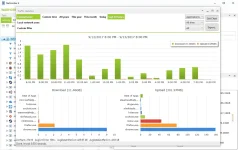
Along with this unique feature, Netlimiter offers comprehensive set of internet statistical tools. It includes real-time traffic measurement and long-term per-application internet traffic statistics.
Full traffic control
Set exact download/upload speed limits to any application or give them higher priority to ensure that they always get enough bandwidth they need.
Internet traffic monitoring
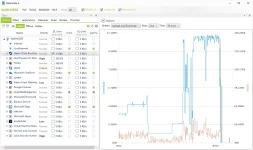
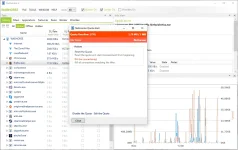
You will not miss a single application connecting to the internet. You will also monitor how much data it transfers from or to internet. All also displayed in customizable charts.
Connection blocker
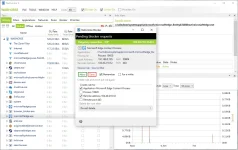
Using this simple and also interactive system of rules you will be allowed to specify which applications can connect to internet and under which conditions.
Quotas
Lets you set data transfer quotas for selected application/filter. If the quota is reached - limit, blocker rule or other rules could be enabled.
And more
NetLimiter 4 can do much more!
Check the list
It includes real-time traffic measurement and long-term per-application internet traffic statistics. Along with this unique feature, Netlimiter offers comprehensive set of internet statistical tools. It includes real-time traffic measurement and long-term per-application internet traffic statistics.
Internet traffic monitoring
Realtime traffic monitoring of apps and connections.
Connection blocker
You can block selected applications from connecting to internet.
Priorities
Lets you prioritize traffic of selected app over others.
Quotas
Block or limit application if specified data transfer quota was reached.
Stats
Long-term data transfers statistics.
Limits
Set maximum transfer speed for any application running on your PC.
Filter editor
Create custom filters to filter traffic by direction, protocol, IPs, application, etc.
Scheduler
Specify times when particular rule (limit, priority) will be automatically enabled or disabled.
Remote administration
Remotely control other machines with NetLimiter 4
User permissions
Specify which user can control or just monitor interent traffic
Traffic chart
Displays download/upload data transfers speeds for selected application or connection.
Info tool
Displays various information about selecteted connection, application or filter.
Rule editor
Advanced tool for customizing NetLimiter behaviour.
Connection History
It displays traffic stats grouped by Ip address and application.
Connection Log
Shows info about connections in realtime and how they were processed.
I can only hope that NetLimiter will be useful to you, you will be able to control traffic and no longer worry about the fact that some program will use it too hard, now you have everything to know and prevent, good luck!
Spoiler contents are visible only to Established Members.

