PH
PH
C
Captain Hook
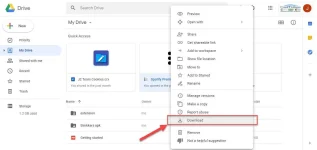
If the Quota Exceed Error problem didn’t solve automatically, then you can follow the below steps to solve that issue. For better understanding, I am adding a screenshot of each step so that you don’t get irritated while finding the correct options.
Step 1: First of all, open your download file URL where you are facing the issue.
Step 2: Now, go to the URL section and remove ‘export=download’ from the URL.

Step 3: After that, replace ‘uc’ to ‘open’ as shown below and hit enter.

• The first URL will be like You do not have permission to view the full content of this post. Log in or register now.

• Edited URL will look like You do not have permission to view the full content of this post. Log in or register now.
Step 4: Click on the ‘Add To My Drive’ button present in the top right corner. This will add the file to your google drive account that you currently logged in with.
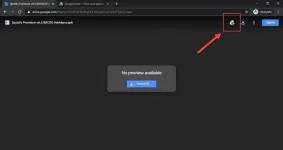
Step 5: Now, open your google drive. Here, you will see a file that you recently added using the ‘Add To My Drive’ option.
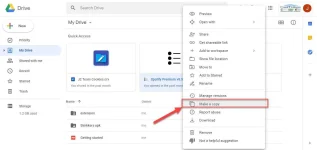
Step 6: Right-click on the file and ‘Make A Copy’ of it. This will make a secondary copy in your google drive like ‘copy-filename.’
Step 7: Now, right-click on ‘copy-filename’ and download it using the ‘Download’ option.