🔒 Closed Installing v2ray vmess + websocket + TLS using Cloudflare CDN setup

Status
Not open for further replies.
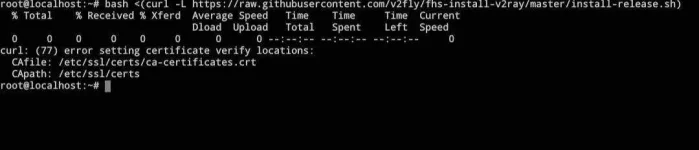
Kahit hindi basta walang services sa port 80, 443 , 10808, 10809, and 10853
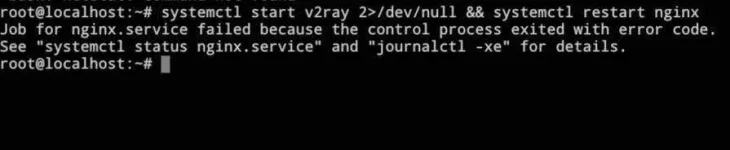
Lodi stale patulong dito number 5 nako eto lumalabas
20210201_164425.webp
 
[XX='PHC-Swiss, c: 735097, m: 1463480'][/XX]
Debian/Ubuntu:
apt update && apt upgrade -y -f


CentOS/Fedora/RHEL:
yum update -y || dnf update -y
 
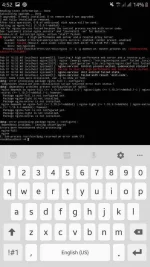
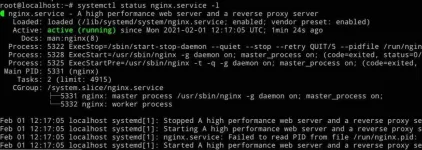
@Stale..Okay napo ba to?
@ATTACH..type="full" alt="Screenshot_20210201-171308_JuiceSSH.jpg"]1283071[/ATTACH]
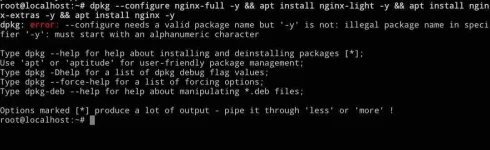
Hindi pa din eh try mo to.

@CODE..dpkg --configure nginx-full -y && apt install nginx-light -y && apt install nginx-extras -y && apt install nginx -y[/CODE]
 
[XX='PHC-Swiss, c: 735309, m: 1463480'][/XX]wala po bang ibang service na gumagamit ng port 80 and 443?

saka doon po sa nginx installation, i-purge nyo po muna lahat.
apt remove --purge nginx* -y;
apt autoremove -y -f;

then update and upgrade apt
apt update;
apt upgrade -y --fix-missing;

may nakainstall po ata jan sa vps nyo na package na conflict sa standard installation ng nginx, nginx-full po ang package name ng default na nginx installation

apt install nginx-full -y
 
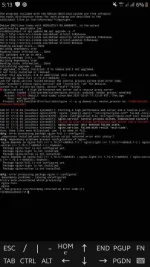
[XX='Bon-chan, c: 736500, m: 1113375'][/XX] okay napo ata kasi kakagawa kolang ng itinuro mo na purge then update ulit. But last problem wala naman ako netstat
20210201_201920.webp
 
install net-tools(nasend ko na po command)

then run netstat (nasa thread yung netstat command pang check kung running na yung nginx and v2ray)
 
Status
Not open for further replies.

About this Thread

  • 942
    Replies
  • 54K
    Views
  • 142
    Participants
Last reply from:
Broofi

Trending Topics

Online now

Members online
725
Guests online
1,057
Total visitors
1,782

Forum statistics

Threads
2,271,684
Posts
28,937,308
Members
1,238,781
Latest member
alleysid
Back
Top