🔒 Closed Installing v2ray vmess + websocket + TLS using Cloudflare CDN setup

Status
Not open for further replies.
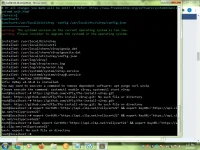
Paps Bon-chan bakit kaya ganyan. Ayaw magstart ng nginx?
1612120835834.webp
 
anong version po ng nginx nyo? masyado po atang mababa version ng nginx, hindi pa po sya supported sa TLSv1.3

remove nyo nalang po:
ung ssl_protocols TLSv1.2 TLSv1.3; gawin nyo pong ssl_protocols TLSv1.2; sa loob ng /etc/nginx/conf.d/v2ray.conf
shortcut using sed:
sed -i 's|TLSv1.2 TLSv1.3|TLSv1.2|g' /etc/nginx/conf.d/v2ray.conf

after changes sa config, restart nginx: systemctl restart nginx
 
TLSv1.2 and TLSv1.3 po supported ng cloudflare, okey lang po yan.
pero kung nakaencounter po kayo ng problem about " ssl_protocol version error ", check nyo po kung naka force use TLSv1.3 yung domain nyo sa cloudflare account
 
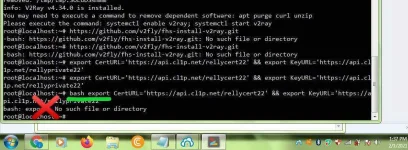
sinabi ko na po ito sainyo nung nakaraan, paki remove lahat ng bash text sa unahan, clipboard bug po ata yan ng phcorner

⬅️ and ➡️ pang navigate sa cursor ng terminal
 

Attachments

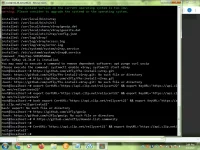
  • IMG_20210201_140505.webp
    IMG_20210201_140505.webp
    79.9 KB · Views: 34
saka wag nyo po ulit ulitin irun yung command. kung wala po kayo nakikita, ibig sabihin successful yung execution ng command
 
Mali yung command eh, yung nasa pic na in-upload mo may kulang.

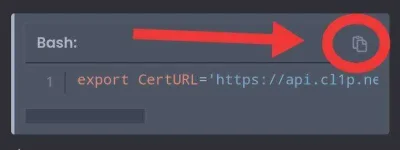
Rather than highlighting and clicking copy text click mo nalang yung nasa bilog sa ss ko. Copy function yan para sure na nakopya lahat.

IMG_20210201_150704.webp
 
Status
Not open for further replies.

About this Thread

  • 942
    Replies
  • 54K
    Views
  • 142
    Participants
Last reply from:
Broofi

Trending Topics

Online now

Members online
419
Guests online
921
Total visitors
1,340

Forum statistics

Threads
2,271,667
Posts
28,937,169
Members
1,238,768
Latest member
Nen22
Back
Top