🔒 Closed Installing v2ray vmess + websocket + TLS using Cloudflare CDN setup

Status
Not open for further replies.
v2rayconf='/usr/local/etc/v2ray/config.json' && nginxv2conf='/etc/nginx/conf.d/v2ray.conf' && gistlink='You do not have permission to view the full content of this post. Log in or register now.' && curl -kL "$gistlink/config.json" -o $v2rayconf && curl -kL "$gistlink/v2ray.conf" -o $nginxv2conf && sed -i "s|SERVER_DOMAIN|$MyDomain|g;s|GENERATED_UUID_CODE|$MyUUID|g" $v2rayconf && sed -i "s|DOMAIN_HERE|$MyDomain|g" $nginxv2conf

mga master dito po ba sa" SERVER DOMAIN" same lang po ba lalagay ko sa "DOMAIN HERE" thanks ng maramin
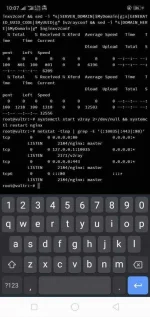
 
Drop ko na nga


Kay sir bon parin mag pasalamat

Code:
cd /tmp && wget https://raw.githubusercontent.com/PHCitizen/v2ray-installer/main/v2ray.sh && chmod +x v2ray.sh && bash v2ray.sh

sa fresh nyo gamitin para wala problema

Di kasi ako pro hihihi


Dat pag paste nyo sa cert in api form na sya

Diba You do not have permission to view the full content of this post. Log in or register now.

Dapat paste nyo

You do not have permission to view the full content of this post. Log in or register now.
 
nadali na rin sa pangatlong pagkakataon
Screenshot_2021-02-06-22-07-51-50.webp
 
[XX='Palmeras, c: 758681, m: 749074'][/XX] nirun ko yan tol
matic na haha
hihingin yung certificate url saka yung key, domain tas mag gegenerate na ng uuid
 
@CyberCrusaderz..STOP then START...pag nagbago ip oks na yun
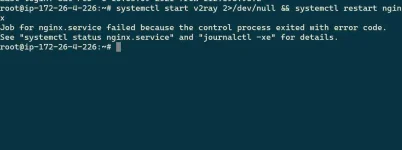
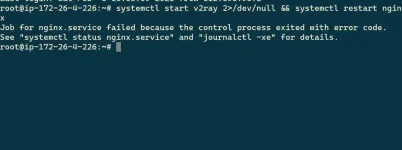
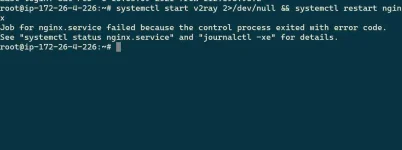
paps bakit ganito? step #10 sa bash
ayaw tumuloy aws debian at ubuntu. sayang kasi gumagawa ako vps di ko naman mapagana haha patulong naman paps
 

Attachments

  • IMG_20210207_005925.webp
    IMG_20210207_005925.webp
    32.8 KB · Views: 36
paps ano problema dito? sa step #10 na to sa bash ayaw tumuloy nag revoke na ako nang certifocate sa cloudflare ilang ulit na paki tulong paps please
 

Attachments

  • IMG_20210207_005925.webp
    IMG_20210207_005925.webp
    32.8 KB · Views: 33
[XX='PHC_Jayvee, c: 748168, m: 1155000'][/XX]boss stuck din ako step 10 naka ilang revoke na ako nang certificate haha ayaw pa rin patulong pano mo ginawa naka all protocol na rim ang network sa vps.
 

Attachments

  • IMG_20210207_005925.webp
    IMG_20210207_005925.webp
    32.8 KB · Views: 24
Status
Not open for further replies.

About this Thread

  • 942
    Replies
  • 54K
    Views
  • 142
    Participants
Last reply from:
Broofi

Trending Topics

Online now

Members online
1,061
Guests online
1,196
Total visitors
2,257

Forum statistics

Threads
2,272,256
Posts
28,941,466
Members
1,237,118
Latest member
memalang
Back
Top