PH
PH
P
PurpleFox
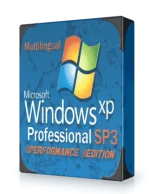
This supports ONLY English Language and English Keyboard Layouts.
This is a FULL Install. You CANNOT Upgrade from previous versions of Windows.
The Following has been Removed From This OS…
Applications:
- Briefcase
- Games
- Internet Games
- Pinball
- Screensavers
Drivers:
- Asynchronous Transfer Mode (ATM)
- Display Adapters
- IBM PS/2 TrackPoint
- IBM ThinkPad
- ISDN
- Logitech WingMan
- Microsoft SideWinder
- Modems
- Multifunctional
- Printers
- Scanners
- Serial Pen Tablet
- Sony Jog Dial
- Tape drives
- Toshiba DVD decoder card
Network:
- Client for Netware Networks
- Communication tools
- Comtrol Test Terminal Program
- Connection Manager
- FrontPage Extensions
- H323 MSP
- Internet Connection Wizard
- Internet Information Services
- IP Conferencing
- MSN Explorer
- Netmeeting
- NetShell Cmd-Tool
- Network Diagnostic
- Peer-to-peer (Has Nothing To Do With Torrents, XDCC, UseNet, Gnutella, LimeWire,Etc)
- Share Creation Wizard
- Synchronization Manager
- TAPI Application Support
- Vector Graphics Rendering
- Web Folders
- Windows Messenger
Operating System Options:
- NET Framework
- Blaster/Nachi removal tool
- Color Schemes
- Desktop Cleanup Wizard
- Document Templates
- DR Watson
- FAT to NTFS converter
- File and Settings Wizard
- File System Encryption
- Help and Support
- IExpress Wizard
- Manual Install and Upgrade
- MS Agent
- MS XML 2.0
- Out of Box Experience
- Private Character Editor
- Remote Installation Services
- Search Assistant
- Security Center
- Service Pack Messages
- Symbolic Debugger
- Tour
- Web View
Services:
- Application Layer Gateway
- Error Reporting
- Indexing Service
- Messenger
- Network DDE
- Remote Registry
- Removable Storage
- Route Listening Service
- RPC Locator
- Service Advertising Protocol
- Simple TCP/IP Services
- Telnet
Directories:
- DOCS
- SUPPORT
- VALUEADD

Tweaks:
- Boot and Shutdown-Auto-End tasks immediately
- Boot and Shutdown-Auto-Kill hung applications immediately
- Boot and Shutdown-Auto-Kill hung services immediately
- Boot and Shutdown-Ctrl-Alt-Del at logon-Disabled
- Boot and Shutdown-Logon Page-Classic
- Boot and Shutdown-Setup Prefetch-Cache-Applaunch and Boot enabled
- Boot and Shutdown-Status Messages-Extended
- Desktop-Desktop icons size-32
- Desktop-Internet Explorer icon-Hide
- Desktop-My Computer icon-Show
- Desktop-My Documents icon-Show
- Desktop-My Network Places icon-Hide
- Desktop-Recycle Bin icon-Show
- Explorer-Add (un)register libraries in Context Menu
- Explorer-Add ‘Command Prompt’ to folder context menu
- Explorer-Advanced Search: preconfigure options
- Explorer-Associate additional file types with Notepad
- Explorer-Change Windows Explorer folder view-Details
- Explorer-Classic Control Panel
- Explorer-Disable Accessibility keyboard shortcuts
- Explorer-Disable Autorun
- Explorer-Disable Prefix: Shortcut to
- Explorer-Disable shortcut arrow
- Explorer-Disable Web Files and Folders connection
- Explorer-Display the contents of system folders
- Explorer-Launch folder windows in a separate process
- Explorer-Show Drive Letters in front of Drive Names
- Explorer-Show extensions of known file-types
- Explorer-Show hidden files and folders
- Explorer-Show Map Network Drives buttons in Explorer bar
- Explorer-Show Statusbar in all windows
- Explorer-Show the full path in the Address Bar
- Explorer-Show the full path in the Title Bar
- Explorer-Use small icons in Explorer bar
- Internet Explorer-Disable information bar when popup is blocked
- Internet Explorer-Disable Market Place bookmark
- Internet Explorer-Disable Media Player 6.4 created bookmarks
- Internet Explorer-Disable Outlook E×ρréšš link creation
- Internet Explorer-Disable Password-Caching
- Internet Explorer-Disable sound when popup is blocked
- Internet Explorer-Enable Google URL-Search
- Internet Explorer-Keep IE URL-History for-0 Days
- Internet Explorer-Set Homepage-www.google.com
- Internet Explorer-Set Internet Explorer to accept 10 connects at a time
- Internet Explorer-Set popup-blocker to high
- My Computer-Add Administrative Tools
- My Computer-Add Control Panel
- My Computer-Add Control Panel to Context Menu
- My Computer-Add Device Manager to Context Menu
- My Computer-Add Drive Cleanup to Context Menu
- My Computer-Add Event Viewer to Context Menu
- My Computer-Add My Network Places
- My Computer-Add Network Connections
- My Computer-Add Registry Editor to Context Menu
- My Computer-Add Scheduled Tasks
- Network-Allow receiving Remote Assistance-Disable
- Network-Disable restoring mapped network drives on logon
- Performance-Disable Info Tips on Files and Folders
Install Notes:
1. Unrar the Archive(s) using WinRAR or 7Zip. This will produce an ISO file.
2. Burn the ISO using a program such as IMGBurn, Nero, ******* 120, Blindwrite, ect… (Burn at a slow Speed to ensure no errors, 1x-4x)
3. Change Bios Priority settings so it boots from the CD-ROM Drive First. (You may be able to skip this step)
4. Insert Disc and Reboot PC, Follow the on screen prompts and enjoy.