 PH
PremiumCourses
Honorary Poster
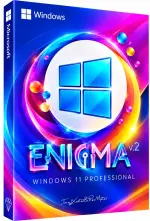
Free Download Windows 11 Pro Lite 25H2 Build 26200.9168 Enigma 11 v2 Edition | Windows x64 | No TPM | Languages: English | File Size: 4.68 GB
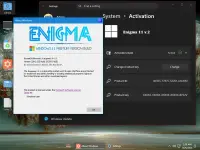
Windows 11 Pro Lite Enigma 11 v2 Edition is a customized Windows 11 Pro distribution based on version 25H2, designed to deliver a responsive desktop experience through extensive system tweaks and selected component removal.
Unlike heavily stripped-down Windows editions, Enigma 11 v2 retains a relatively broad range of Windows functionality while removing selected applications, services, management tools, and optional components. Its modifications focus on performance, resource usage, login speed, shutdown behavior, and File Explorer responsiveness.
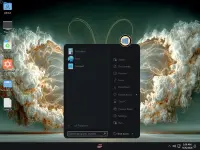
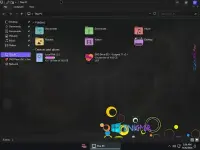
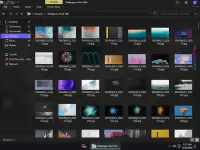
The release also includes extensive desktop customization options, including more than 500 custom wallpapers, a modified theme, a custom icon pack, and several utilities for adjusting the Windows interface.
Software Overview
Windows 11 Pro Lite 25H2 Enigma 11 v2 Edition combines a customized Windows installation with a collection of performance tweaks and visual enhancements. The build is intended for users who want a modified Windows environment without removing as many components as some ultra-lite distributions.
Windows Update is intentionally disabled in this release. The Microsoft account requirement is bypassed, and the system uses the Ultimate Performance power plan by default. Additional modifications affect background services, privacy settings, CPU boost behavior, and common desktop operations.
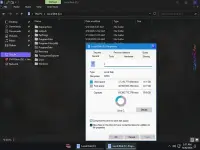
System Protection remains enabled, and the Restore section is retained, providing access to the available system restoration options.
Key Features
- Windows 11 Pro 25H2 Base: Based on Windows 11 Pro Build 26200.9168.
- No TPM Requirement: Standard Windows 11 TPM restrictions have been bypassed.
- Microsoft Account Bypass: Install without the standard Microsoft account requirement.
- Performance Optimization: Extensive tweaks are applied to improve responsiveness and reduce unnecessary resource usage.
- Ultimate Performance Power Plan: The system power plan is configured for Ultimate Performance.
- Aggressive CPU Boost: CPU boost settings are enabled with an aggressive default configuration.
- Faster Login and Shutdown: System modifications target shorter login and shutdown operations.
- File Explorer Tweaks: Explorer settings are adjusted for improved responsiveness.
- Windows Update Disabled: Windows updates are intentionally disabled in this customized build.
- System Protection Enabled: System Protection remains active, and the Restore section is retained.
- Hibernation Disabled: Hibernation is turned off.
- Privacy Customization: Privacy-related features are turned off.
- Custom Wallpapers: Includes a collection of more than 500 wallpapers.
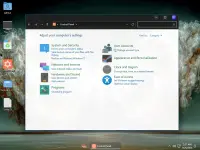
- Customized Appearance: Features an applied theme, custom icon pack, and account image.
- User Password Configuration: The user password is configured not to expire.
- Windows Image Viewer: Set as the default image viewer.
Enigma 11 v2 is a suitable option for users who want a customized Windows installation with a balance between component removal and everyday desktop functionality. Rather than stripping the operating system down to an extremely minimal environment, this edition focuses on selected removals and system-level adjustments.
Its visual customization package is another notable feature, offering hundreds of wallpapers alongside a custom theme and icon pack. The included utilities provide further options for modifying the Start menu, File Explorer, context menus, and task management experience.
Users should remember that Windows Update is disabled by design. This can prevent the system from receiving normal Windows updates and security fixes, so the build requires additional maintenance and security consideration.
Removed Features and Components
The supplied removal list includes the following applications, services, and optional Windows components:
- Applications: Clipchamp, Feedback Hub, Get Help, Microsoft 365 Copilot, Microsoft Bing, Microsoft Family Safety, Microsoft News, Microsoft Photos, Sticky Notes, Microsoft Teams, Microsoft To Do, MSN Weather, Snipping Tool, Solitaire and Casual Games, and Take a Test.
- Windows Interface Components: Assigned Access Lock app, Windows Barcode Preview, Windows Clock, Windows Media Player, Windows Shell Experience, Windows Sound Recorder, and Windows Web Experience Pack.
- Browser Components: Microsoft Edge, Microsoft Edge DevTools Client, and legacy WebView2 Runtime.
- System Management Tools: Authorization Manager, Certificate Manager, Computer Management, Device Manager, Disk Management, Event Viewer, Local Users and Groups Manager, Services management console, Shared Folders UI, Task Scheduler, and TPM management console.
- Optional Services and Features: Assigned Access, Auto-Rotation Manager, BranchCache Client, Device Lockdown, Embedded Mode, Enterprise Data Protection, File Server Resource Manager, Folder Redirection, NFC, Pen Service, Point of Service, Sleep Study, Tablet PC, and Work Folders Client.
- Storage and Background Components: .NET assembly cache, cache and temporary files, CEIP, OneDrive, Retail Demo Content, Wallet Service, and other selected components.
- Additional Components: Windows Recovery Environment, WinPE, Windows Mixed Reality, Windows Reader (PDF), Windows TIFF IFilter (OCR), Steps Recorder, Screen Magnifier, Sysmon, and selected media and photo components.
- Language and Font Components: Selected Chinese, Japanese, and Korean input methods, several font families, and other optional regional components.
- 7-Zip: File compression and extraction utility.
- OldNewExplorer: File Explorer customization tool.
- SIB AIO: Start menu and Windows interface customization utility.
- ExplorerBgTool: Tool for customizing the File Explorer background.
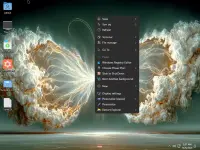
- Nilesoft Shell: Context menu customization utility.
- TMOG-Task-Manager: Additional task management utility.
- Windows Update is disabled intentionally.
- The Microsoft account requirement has been bypassed.
- The Ultimate Performance power plan is applied by default.
- Windows Image Viewer is configured as the default image viewer.
- Some services are disabled or configured for manual startup.
- Performance tweaks target login, shutdown, File Explorer, and general system responsiveness.
- Hibernation is disabled.
- System Protection is enabled, and the Restore section remains available.
- Privacy features are turned off.
- The user password is configured never to expire.
- More than 500 custom wallpapers are included.
- A custom theme, icon pack, and account image are applied.
- CPU boost is enabled with an aggressive default setting. Users can choose a configuration appropriate for their hardware.
System Requirements
The supplied minimum requirements are:
- Processor: 2 GHz or faster.
- Memory: 2 GB RAM.
- Storage: 20 GB of available disk space.
- Graphics: DirectX 9-compatible graphics device or newer.
- Touch Support: A tablet or monitor supporting multitouch is required for touch functionality.
- Microsoft Store: An active Internet connection and a screen resolution of at least 1024 x 768 pixels are required to access the Store, download, and run applications.
Code:
https://www.microsoft.com- Software Name: Windows 11 Pro Lite Enigma 11 v2 Edition
- Version: 25H2 Build 26200.9168
- Architecture: x64
- Languages: English
- License type: Full Version
- File Size: 4.68 GB


Download ( Rapidgator )
You do not have permission to view the full content of this post. Log in or register now.
AlfaFile
You do not have permission to view the full content of this post. Log in or register now.
You do not have permission to view the full content of this post. Log in or register now.
You do not have permission to view the full content of this post. Log in or register now.
You do not have permission to view the full content of this post. Log in or register now.
You do not have permission to view the full content of this post. Log in or register now.