 PH
PH
D
Deleted member 622780
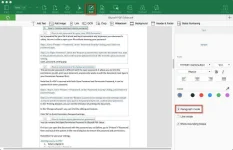
Basically, all you have to do is import the items into the main panel and then start tweaking them. The files can be added using either the browse button or the drag-and-drop support. Furthermore, you can embed watermarks, change the background, set new headers and footers, add check boxes, radio buttons and digital signatures, as well as protect your files with a user-defined password and signatures.
As soon as you start iSkysoft PDF Editor Pro, you are prompted to choose one of the four main functions, namely, create, combine, or convert PDF, as well as edit PDF text. The “Protect” tab in the interface speaks of itself pretty clearly. You can protect your document with a full password or simply protect some functions inside of your documents. The “Redaction” feature allows you to redact PDF texts and images to protect your sensitive information.
File size: 48mb
