PH
PH-
Welcome to PHCorner Forums! Sign up for free to unlock full access and exclusive privileges, including:
- Asking questions about computer and mobile issues
- Discovering internet tips for your mobile network and computer
vivek1's latest activity
-
Vvivek1 replied to the thread -Free Internet- on Captive Portals - Works in Any Country -.if u have any one criteria working.. i.e., have open port, portal page gives 3?? error, or get sign in to network, if so still psiphon not get connected, then check magisk module is running/not running, by clicking 'Action' button and see zapret...
-
Vvivek1 replied to the thread -Free Internet- on Captive Portals - Works in Any Country -.u have to check open ports with droidvpn tcp/http/udp if the socket get connected, u have open port
-
Vvivek1 replied to the thread -Free Internet- on Captive Portals - Works in Any Country -.yes, nothing to configure psiphon, just u have to wait untill it gets connected, =========== if u got open ports, or ur portal page gives 3?? error, or u get sign in to network u will definitely be connected to psiphon
-
Vvivek1 replied to the thread -Free Internet- on Captive Portals - Works in Any Country -.after install module, u have to restart ur mobile, then connect psiphon vpn
-
Vvivek1 replied to the thread -Free Internet- on Captive Portals - Works in Any Country -.i don't have ios device, better u search in internet or youtube
-
Vvivek1 replied to the thread -Free Internet- on Captive Portals - Works in Any Country -.DPI Bypass Tool is Also available for macos 64bit, i don't know if available for iphone/ipad Check here: Hidden content ======================== for ssh ws support check 'npv tunnel' for ios ======================== for ios, portal websites use...
-
Vvivek1 replied to the thread -Free Internet- on Captive Portals - Works in Any Country -.@robertxxxvirus Here is the Magisk(DPI Bypass tool) module for Android(rooted) Hidden content Reboot ur Android mobile after installing Magisk module, not from the magisk module installation reboot button, becoz using this reboot button, magisk...
-
Vvivek1 replied to the thread -Free Internet- on Captive Portals - Works in Any Country -.@Raging_Jalapeno if youtube is detecting using vpn/proxy youtube will ask you to sign in so sign with your google a/c ================================== or use a proxy which will not spill your ur proxy country ==================================...
-
Vvivek1 reacted to Veraix's post in the thread 👨🏫 Tutorial Stop YouTube Ads, Facebook Video Ads | ControlD for MAC, Windows, Android, TV & iOS | Can Access To NSFWPH.org with
 Haha.
Para saan nga ba ang ControlD? Sagot: Control D (Resolver ID) – Isang DNS service para sa Android, TV & iOS na nagba-block ng ads gamit ang YOUTUBE at nagpapabuti ng privacy gamit lang ang Resolver ID. Hidden content ⚠️ CAUTION: Yes...
Haha.
Para saan nga ba ang ControlD? Sagot: Control D (Resolver ID) – Isang DNS service para sa Android, TV & iOS na nagba-block ng ads gamit ang YOUTUBE at nagpapabuti ng privacy gamit lang ang Resolver ID. Hidden content ⚠️ CAUTION: Yes... -
Vvivek1 replied to the thread NetMirror TV - M0D.if download link is dead Download from here: https://seyarabata.com/69e37330d7d5f Code: 111111
-
Vvivek1 replied to the thread -Free Internet- on Captive Portals - Works in Any Country -.also check in droid vpn for port 443 as HTTP setting, for direct connection without vpn if it works if it shows tcp socket connected means, we can try direct browsing in the web browsers also, just we have to run dpi bypass tool and keep it open...
-
Vvivek1 replied to the thread -Free Internet- on Captive Portals - Works in Any Country -.Here is the link for Psiphon PC Download: https://psiphon.ca/psiphon3.exe
-
Vvivek1 replied to the thread -Free Internet- on Captive Portals - Works in Any Country -.if same pblm there is a TAP drivers issue, u resolved it urself later. now try this open dpi bypass tool, run it and keep open, untill u use internet, then open psiphon wait untill it connects
-
Vvivek1 replied to the thread -Free Internet- on Captive Portals - Works in Any Country -.first ensure that ur android device is rooted, bcoz its a magisk module always u must check that ur isp/network has open ports, if there are firewalled it doesn't matter if all ok u can request
-
Vvivek1 replied to the thread -Free Internet- on Captive Portals - Works in Any Country -.RESET all the settings to defaults, and uninstall TAP drivers and reinstall tap drivers run them as 'run as administrator' --------------- there are .bat files in the droidvpn folder, check them
-
Vvivek1 replied to the thread -Free Internet- on Captive Portals - Works in Any Country -.follow exactly as said in the Readme.txt, u will be success
-
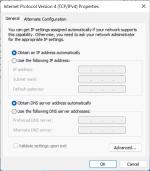
Vvivek1 replied to the thread -Free Internet- on Captive Portals - Works in Any Country -.i noticed that in the screenshot that NETSH Failed to set IP! error showing for this, set tcp/ip settings like this -or- open droidvpn as 'run as administrator' -or- droidvpn settings - TAP / Routing settings - change 'Netsh/Route' to - 'IP...
-
-
Vvivek1 replied to the thread -Free Internet- on Captive Portals - Works in Any Country -.@joshuatadena091001 Here is the DPI Bypass Tool for PC: Download: Hidden content Note: There is a ReadMe.txt file read it for a good assistance
-
Vvivek1 replied to the thread -Free Internet- on Captive Portals - Works in Any Country -.@joshuatadena091001 u are showing android droidvpn log, i already told u that for android u needed a rooted mobile phone show pc droidvpn log i will give u DPI Bypass tool for pc
-
Vvivek1 replied to the thread -Free Internet- on Captive Portals - Works in Any Country -.@joshuatadena091001 First check with the 'HTTP' setting in the droidvpn, also port settings as port 80 or 8080, if the port is opened or not Droidvpn: (PC) https://seyarabata.com/69db9fbe6e17e show the screenshot of the droidvpn log