 PH
PH Netflix VISA Method (6)
1. If you have Paymaya account then you're all good, all you need to do is use your virtual card in Paymaya.
2. Register to Netflix, choose mobile plan and use your visa virtual card as a payment method.
(All you need is P149.00 balance)
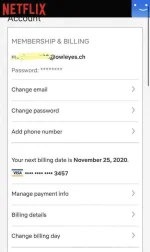
3. After successfully registering, go to account settings.
4. Change your plan to premium plan and save.
5. Cancel your membership
6. Netflix won't be billing you because you have cancelled your premium membership before the billing date.
7. Your premium plan will be canceled until the due date, so don't worry, you can still use premium account!
Note: good for personal use only
1. If you have Paymaya account then you're all good, all you need to do is use your virtual card in Paymaya.
2. Register to Netflix, choose mobile plan and use your visa virtual card as a payment method.
(All you need is P149.00 balance)
3. After successfully registering, go to account settings.
4. Change your plan to premium plan and save.
5. Cancel your membership
6. Netflix won't be billing you because you have cancelled your premium membership before the billing date.
7. Your premium plan will be canceled until the due date, so don't worry, you can still use premium account!
Note: good for personal use only

