PH
PHHow to unpack (& make) split archives (Zip file with individual parts) using WinRAR and 7zip

WinRAR:
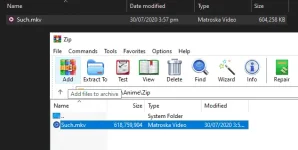
1. Select the file(s) you want to archive and then Add them to archive.
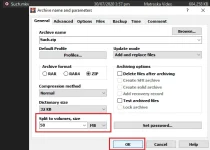
2. Select RAR or ZIP, and in Split to volumes, size enter the size of the individual parts. Done!
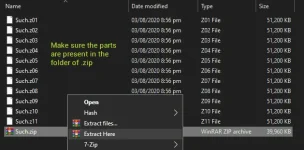
To extract, right click the .zip file and select Extract Here


7zip:
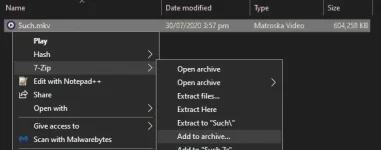
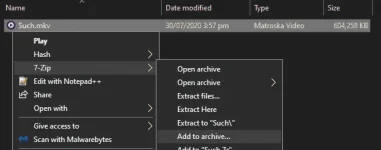
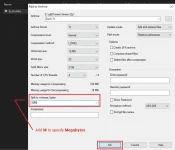
1. Right click the file(s) you want to archive, and then select Add to archive...
2. In Split to volumes, bytes enter the size of the individual parts. Done!
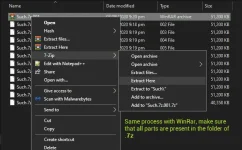
To extract, right click the .7z.001 file and select Extract Here
WinRAR:
1. Select the file(s) you want to archive and then Add them to archive.
2. Select RAR or ZIP, and in Split to volumes, size enter the size of the individual parts. Done!
To extract, right click the .zip file and select Extract Here
7zip:
1. Right click the file(s) you want to archive, and then select Add to archive...
2. In Split to volumes, bytes enter the size of the individual parts. Done!
To extract, right click the .7z.001 file and select Extract Here