🔒 Closed Guide on Downloading Stock Windows 10 and 11 (only 1709+)

Status
Not open for further replies.

und3f1n3d

Grasshopper

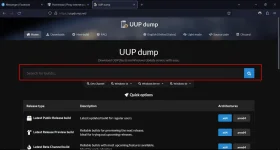
https://:)uupdump:).net/


  • remove the emoji ":)" in the url bar​


1677319544185.png


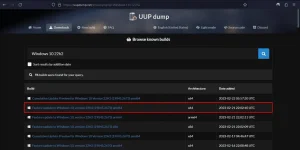
  • Search the desired Windows build in the search bar ( In my case it's Windows 10 22H2)​

    1677319647763.png

  • Select the Latest Feature Update based in your CPU Architecture. (as the Security Cumulative Update tends to reduce the performance on some cases, note that anti cheat's like Faceit AC needs Security Updates)​


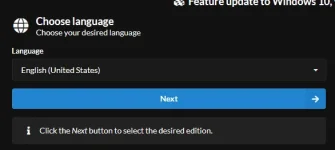
1677321128140.webp


  • After that press Next

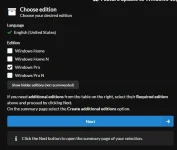
1677321328315.webp


  • Select the desired Edition (I usually use Pro as it has more freedom than Home) and click Next after​


1677321497190.webp


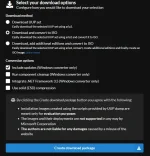
  • Click Next

1677321616263.webp


  • Extract the downloaded package and run uup_download_windows.cmd. The final .ISO file will be created in the same directory as the script​

 
Status
Not open for further replies.

About this Thread

  • 0
    Replies
  • 259
    Views
  • 1
    Participants
Last reply from:
und3f1n3d

Online now

Members online
323
Guests online
841
Total visitors
1,164

Forum statistics

Threads
2,287,977
Posts
29,048,020
Members
1,215,839
Latest member
jack1121
Back
Top