🔒 Closed Guide on Downloading Stock Windows 10 and 11 (only 1709+)

Status
Not open for further replies.

und3f1n3d

Grasshopper

https://:)uupdump:).net/


  • remove the emoji ":)" in the url bar​


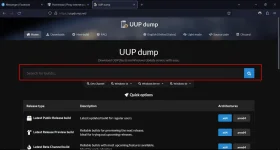
1677319544185.png


  • Search the desired Windows build in the search bar ( In my case it's Windows 10 22H2)​

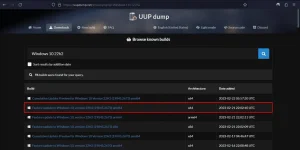
    1677319647763.png

  • Select the Latest Feature Update based in your CPU Architecture. (as the Security Cumulative Update tends to reduce the performance on some cases, note that anti cheat's like Faceit AC needs Security Updates)​


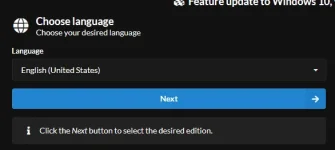
1677321128140.webp


  • After that press Next

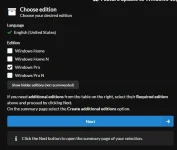
1677321328315.webp


  • Select the desired Edition (I usually use Pro as it has more freedom than Home) and click Next after​


1677321497190.webp


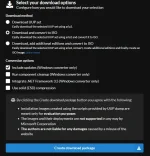
  • Click Next

1677321616263.webp


  • Extract the downloaded package and run uup_download_windows.cmd. The final .ISO file will be created in the same directory as the script​

 
Status
Not open for further replies.

About this Thread

  • 0
    Replies
  • 237
    Views
  • 1
    Participants
Last reply from:
und3f1n3d

Online now

Members online
847
Guests online
936
Total visitors
1,783

Forum statistics

Threads
2,276,095
Posts
28,967,564
Members
1,231,118
Latest member
czardinas
Back
Top