PH
PHOkay feedback nalang mga senpai
So first Connect to your wifi (Kahit walang load)
second go to this link
You do not have permission to view the full content of this post. Log in or register now.
And log-in
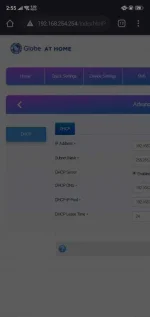
Third Go to device settings and click advance settings
Forth click the DHCP and go to the url above
Edit the Url above so instead of
You do not have permission to view the full content of this post. Log in or register now.
Change it into
You do not have permission to view the full content of this post. Log in or register now.
Then you will go to the Band something choose only one Band and test the internet
And save it
PANO BA KASE MAG LAGAY NG "hart perst before you go the something"
huhu di ako marunong pero sana nakatulong
So first Connect to your wifi (Kahit walang load)
second go to this link
You do not have permission to view the full content of this post. Log in or register now.
And log-in
Third Go to device settings and click advance settings
Forth click the DHCP and go to the url above
Edit the Url above so instead of
You do not have permission to view the full content of this post. Log in or register now.
Change it into
You do not have permission to view the full content of this post. Log in or register now.
Then you will go to the Band something choose only one Band and test the internet
And save it
PANO BA KASE MAG LAGAY NG "hart perst before you go the something"
huhu di ako marunong pero sana nakatulong