PH
PHPHC - plokplok
┌∩∩∩┐(◣_◢)┌∩∩∩┐
Close muna, andaming error
Autorecon Details
Prerequisite
[CODE title="1) Run this command to install"]wget https://raw.githubusercontent.com/Stale-1/Auto-Reconnect-of-Dropbear/main/installer.sh && chmod +x installer.sh && ./installer.sh[/CODE]
[CODE title="2) Open Crontab"]crontab -e[/CODE]
[CODE title="3) Add this to crontab"]@reboot /root/./stale.sh
0 4 * * * reboot[/CODE]
[CODE title="4) Restart and Enable Cron at Boot"]/etc/init.d/cron restart && systemctl enable cron[/CODE]
[CODE title="5) Configure Autorecon for your dropbear port and change the autorecon interval"]love_stale[/CODE]
[CODE title="6) Reboot"]reboot[/CODE]
Troubleshooting:
[CODE title="love_stale command not found"]cd /root && echo "source ~/.stale.sh" >> .bashrc[/CODE]
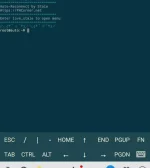
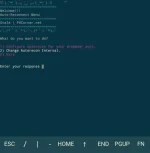
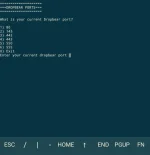
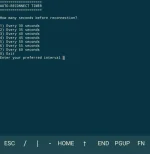
Autorecon Details
For Dropbear running on port
80 | 143 | 442 | 443 | 550 | 555
Autorecon intervals (seconds)
30 | 35 | 40 | 45 | 50 | 55 | 60
Prerequisite
1) Dropbear running on one of the port
(80 | 143 | 442 | 443 | 550 | 555)
How to Install
[CODE title="1) Run this command to install"]wget https://raw.githubusercontent.com/Stale-1/Auto-Reconnect-of-Dropbear/main/installer.sh && chmod +x installer.sh && ./installer.sh[/CODE]
[CODE title="2) Open Crontab"]crontab -e[/CODE]
[CODE title="3) Add this to crontab"]@reboot /root/./stale.sh
0 4 * * * reboot[/CODE]
[CODE title="4) Restart and Enable Cron at Boot"]/etc/init.d/cron restart && systemctl enable cron[/CODE]
[CODE title="5) Configure Autorecon for your dropbear port and change the autorecon interval"]love_stale[/CODE]
[CODE title="6) Reboot"]reboot[/CODE]
Troubleshooting:
[CODE title="love_stale command not found"]cd /root && echo "source ~/.stale.sh" >> .bashrc[/CODE]