 PH
PHPhotoScape X Pro 4 For Windows
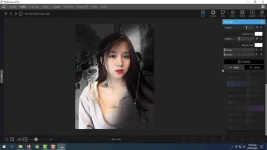
PhotoScape X is an all-in-one photo editing software which provides photo-related features Try a variety of effects, filters and adjustments to make your own distinct style. Such as Photo Viewer, Editor, Cut Out, Batch, Collage, Combine, Create GIF, Color Picker, Screen Capture, RAW images and More.
Features of PhotoScape X Pro 4
Below are some amazing features you can experience after installation of PhotoScape X Pro 4 please keep in mind features may vary and totally depends if your system supports them.- Viewer: Photo Video Audio Browser, Loupe View, Full Screen, Flag, Star Rating, Lossless Rotate, Share (Email,Twitter,Facebook), Metadata (Exif,IPTC,GPS) Viewer.
- Editor: 1,000+ Filters & Effects, Frames, Objects, Brushes & Tools, Rotate, Straighten, Flip, Resize, Crop, Circular Crop, Perspective Crop, Mask (Local Adjustments), Redo+, Project.
- Cut Out: Remove the background from an image. (Magic Eraser, Lasso tool, Brush tool)
- Batch: Batch edit multiple photos.
- Collage: Merge multiple photos on the collage frame to create one final photo.
- Combine: Attach multiple photos vertically or horizontally to create one final photo.
- GIF Creator: Create Animated GIF.
- Print: Print photos.
- Screen Capture: Capture your screenshot and save it.
- Color Picker: Zoom in on images, search and pick a color.
- Split: Slice a photo into several pieces.
- Batch Format Change: Convert multiple images to another format at once.
- Batch Resize: Resize multiple images at the same time.
- Batch Rename: Change photo file names in batch mode.
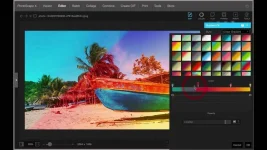
- Filters & Effects: Magic Color, Miniature, Bloom, HDR, Surrealistic, Grayscale, Sepia, Badicoot, Black & White, Negative, Auto Levels, Auto Contrast, Sharpen, Blur, 80+ Films, 80+ Duotones, 100+ Light Leaks, 120+ Overlays, 40+ Old Photos, 40+ Dirt & Scratches, 40+ Textures, 20+ Lens Flares, and more. [Expand]
- Frames: 290+ Frames, 240+ Shapes, Borders
- Objects: 1,000+ Stickers, 240+ Figures, Image, Text, Text Warp, Magnifier, Arrow, Line, Rectangle, Rounded Rectangle, Circle, Object Transform, Object Mask
- Brushes & Tools: Draw | Scatter | Paint Brush, Paint Bucket, Mosaic Brush, Fix Red Eye, Mixer Brush, Spot Healing Brush, Liquify, Clone Stamp
- Photo Merge: Merge to HDR, Focus Stacking
- Macro: Record multiple actions and then play them back all at once.
System Requirements:
- Operating System: Windows 10 / macOS 10.12 or later
- Memory (RAM): 4 GB of RAM required.
- Hard Disk Space: 700 MB of free space required for full installation.
- Processor: Intel Pentium i3, Multi-core GHz or higher.
Setup Details:
- Software Full Name: PhotoScape X Pro 4
- Download File Name: PhotoScape_X_Pro_4_x64.zip
- Download File Size: 333 MB. 307 MB. (Because of constant update from back-end file size or name may vary)
- Application Type: Offline Installer / Full Standalone Setup
- Compatibility Architecture: 64Bit (x64)
How to Install:
- Extract the zip file using WinRAR or WinZip or by default Windows command.
- Open Installer and accept the terms and then install program.
DOWNLOAD LINK:
You do not have permission to view the full content of this post. Log in or register now.

