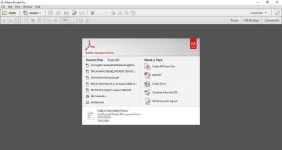
PH
PHAdobe Acrobat XI PRo
Instructions:
1. Stop the application if started then extract archive files
2. Open AcrobatPro.exe and extract it in desktop
3. In desktop go to extraxted folder then run AcroPro.msi
3.1 Select free trial when installing.
4. Click on update file AcrobatUpd11020.msp and install it
4.1 Click on update file AcrobatUpd11022_incr.msp and install it
5.1 Copy Crack file "amtemu.v0.9.1-painter" into installation folder (typically Windows/Programs/Adobe/Acrobat 11.0/Acrobat
5.2 Run "amtemu.v0.9.1-painter" as administtrator (a black text window will open)
5.3 Once the dialogue box opens up asking to precise the file, chose "amtlib.dll"; click open
5.4 Wait untill "WORK DONE" appears on the black window; close this window
DONE!
ADobe Acrobat You do not have permission to view the full content of this post. Log in or register now.
Instructions:
1. Stop the application if started then extract archive files
2. Open AcrobatPro.exe and extract it in desktop
3. In desktop go to extraxted folder then run AcroPro.msi
3.1 Select free trial when installing.
4. Click on update file AcrobatUpd11020.msp and install it
4.1 Click on update file AcrobatUpd11022_incr.msp and install it
5.1 Copy Crack file "amtemu.v0.9.1-painter" into installation folder (typically Windows/Programs/Adobe/Acrobat 11.0/Acrobat
5.2 Run "amtemu.v0.9.1-painter" as administtrator (a black text window will open)
5.3 Once the dialogue box opens up asking to precise the file, chose "amtlib.dll"; click open
5.4 Wait untill "WORK DONE" appears on the black window; close this window
DONE!
ADobe Acrobat You do not have permission to view the full content of this post. Log in or register now.