PH
PHHow to Upgrade your Free Spotify Account to Premium Free
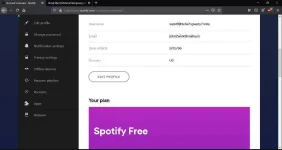
You have Spotify Family Owner Account(Must)
1) Connect a good VPN to the country of the Account’s region is for my case the US
2) Create a Spotify Account or Login to your existing Account
You do not have permission to view the full content of this post. Log in or register now.
3) Now in another Browser Login to that owner’s Account And go to Family Premium Section
You do not have permission to view the full content of this post. Log in or register now.
4) Note the Address and Click Add to Family Plan Button
5) Copy the link and paste it to the browser your own account is logged in
You do not have permission to view the full content of this post. Log in or register now.
6) Click Accept Invite
You do not have permission to view the full content of this post. Log in or register now.
7) Click This is my account and you will be asked address just put the address you have noted earlier
You do not have permission to view the full content of this post. Log in or register now.
8) Boom, Welcome to Spotify Premium
You do not have permission to view the full content of this post. Log in or register now.
You have Spotify Family Owner Account(Must)
1) Connect a good VPN to the country of the Account’s region is for my case the US
2) Create a Spotify Account or Login to your existing Account
You do not have permission to view the full content of this post. Log in or register now.
3) Now in another Browser Login to that owner’s Account And go to Family Premium Section
You do not have permission to view the full content of this post. Log in or register now.
4) Note the Address and Click Add to Family Plan Button
5) Copy the link and paste it to the browser your own account is logged in
You do not have permission to view the full content of this post. Log in or register now.
6) Click Accept Invite
You do not have permission to view the full content of this post. Log in or register now.
7) Click This is my account and you will be asked address just put the address you have noted earlier
You do not have permission to view the full content of this post. Log in or register now.
8) Boom, Welcome to Spotify Premium
You do not have permission to view the full content of this post. Log in or register now.