PH
PH
Microsoft Office 2019 Pro Plus v2011 Build 13426.20274 [FileCR]
Visit FileCR.url (0.1 KB)
Microsoft Activation Scripts 1.4 Separate-Files-Version Extras
Download_Genuine_Installation_Media.url (0.1 KB)
KMS38_Protection
ReadMe.txt (2.4 KB)
Protect_Unprotect-KMS38.cmd (13.4 KB)
Extract_OEM_Folder
ReadMe.txt (6.3 KB)
Extract_OEM_Folder.cmd (20.1 KB)
OEMRET-Change_W10_Edition.cmd (9.0 KB)
OEMRET-Install_W10_Key.cmd (9.1 KB)
Homepages.cmd (0.2 KB)
Ac†ïvâ†ørs
ReadMe.txt (0.8 KB)
Online_KMS_Activation BIN
_Info.txt (0.9 KB)
cleanosppx86.exe (17.0 KB)
cleanosppx64.exe (19.5 KB)
Uninstall.cmd (9.7 KB)
Renewal_Setup.cmd (23.9 KB)
_ReadMe.txt (28.5 KB)
Activate.cmd (88.8 KB)
HWID-KMS38_Activation BIN
_Info.txt (1.9 KB)
ARM64_slc.dll (3.0 KB)
slc.dll (7.0 KB)
gatherosstate.exe (330.0 KB)
ARM64_gatherosstate.exe (1,023.4 KB)
ClipUp.exe (1.3 MB)
ReadMe_HWID.txt (14.9 KB)
ReadMe_KMS38.txt (16.6 KB)
HWID_Activation.cmd (26.3 KB)
KMS38_Activation.cmd (29.3 KB)
Check_Activation_Status.cmd (9.4 KB)
checksums.sha1 (2.5 KB)
Credits.txt (4.7 KB)
Read me.txt (0.4 KB)
Activation-step-02.jpg (52.6 KB)
Activation-step-01.jpg (59.4 KB)
All-In-One-Version
MAS_1.4_AIO_CRC32_9A7B5B05.cmd (2.3 MB)
Read me.txt (0.2 KB)
02-Activation.jpg (58.8 KB)
01-Select-and-Install-required-version.jpg (108.0 KB)
Office_2016_2019_x64_16.0.13426.20274.ISO (6.8 GB)
Description
Microsoft Office Professional Plus 2016-2019 Retail-VL Version 2011 (Build 13426.20274) (x64) Multilanguage
Languages:Arabic,English,German,Greek,French,Spanish,Italian,Portuguese-Portuguese,Portuguese-Brazil,Turkish
The new enhancements in Office 2016-2019 are a subset of a long list of features that have been added to Office 365 ProPlus over the last three years. Office 2016-2019 is a one-time release and won’t receive future feature updates. However, we’ll continue to add new features to Office 365 ProPlus monthly, including innovations in collaboration, artificial intelligence (AI), security, and more. Office 2019 delivers features across apps to help users create amazing content in less time. In PowerPoint 2019, you can create cinematic presentations with new features like Morph and Zoom. And improved inking features across the apps in Windows—like the roaming pencil case, pressure sensitivity, and tilt effects—allow you to naturally create documents.
System Requirements:
OS:Windows 10
Instruction:
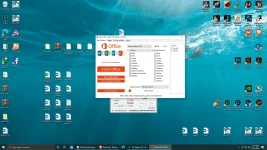
1)Download the ISO
2)mount it or extract
3)run .exe
5)choose Microsoft office 2016 or 2019 and language click install
6)When installation is done, go to utilities tab and -click Office RETAIL >= VL button
7)on utilites after done the VL process click on activation button.
You do not have permission to view the full content of this post. Log in or register now.
You do not have permission to view the full content of this post. Log in or register now.
NEW Link Updated
You do not have permission to view the full content of this post. Log in or register now.