 PH
PHFhidzhckie1968
Fanatic
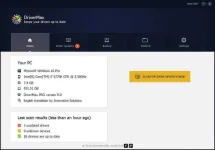
 DriverMax Pro 2020 v12.11 Latest version offline setup for Windows 32-bit and 64-bit. DriverMax Pro 2020 v12.11 is a professional application for finding and installing the missing driver components for all the devices. DriverMax Pro 2020 v12.11 Overview
One of the major reasons behind the system’s slow-downs is missing or outdated driver components. It is a very powerful application with a lightweight solution that allows the users to find out and fix any driver issues. Unlike the default driver management, DriverMax provides support for handling all the driver components at the same time. This means the batch processing support makes it possible for the users to update and install all the driver components. This powerful application automates the workflow and provides the ability to work perform all the operations automatically.
Moreover, it provides support for backing up and restoring the driver components so to handle anything that goes wrong. This powerful application provides complete details about the driver components including the version and other driver component details. The user interface is kept very simple and the users can easily perform all the operations with great ease. All the operation are just a single click away and it performs all the operations efficiently. On concluding notes, DriverMax Pro 11.18 provides the ability to update all the driver components at the same time. Features of DriverMax Pro 2020 v12.11A powerful application to update all the driver components at the same time
A simple and interactive application that performs all the operations instantly
Work with all the driver components and provides complete details about the drivers
Automates the workflow and saves a lot of time while finding and updating drivers
Backup and restore the driver components so to check for the older drivers and saving them
Relies on a rich online database of drivers to fix the installed components
Backup and restore driver components so to get back to the previous state if anything goes wrong
Provides more control over the driver components
Improved productivity and enhanced workflow with accurate results
Update the outdated drivers, fix missing driver issues.
Task scheduling features so to update the drivers only when needed
Many other powerful options and features
Details of DriverMax Pro 2020 v12.11
Software Name: DriverMax Pro 2020 v12.11
Software File Name: DriverMax_Pro_12.11.0.6_Multilingual.zip
File Size: 6 MB
Developer: Innovative Solutions
System Requirements for DriverMax 2020 v12.11
Operating System: Windows XP/Vista/7/8/10
Free Hard Disk Space: 10 MB of minimum free disk space required
Installed Memory: 512 MB of minimum RAM required
Processor: Single Core Processor or higher.
Download Link 
<deleted>
Enjoy!

Pro Full Version

 .
.