PH
PHacervergel87
Elite
Lock down a PC as kiosk terminal
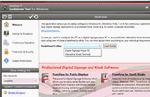
FrontFace Lockdown Tool enables you to protect and lock down any Windows PC for use as public kiosk terminal, digital signage applications or other unattended use.
The program allows you to disable a variety of Windows features and functions to prevent users from making changes to the operating system. This includes options to hide the system tray, disable Shutdown and Log Off, disable the Windows key and Task Manager, prevent password changing, disable Autorun for removable media and more.
You can also use the software to ensure uninterrupted operation by disabling screensaver, error reporting, monitor standby and other Windows features that may interfere with the kiosk display.
FrontFace Lockdown Tool does not provide a kiosk interface, however you can specify an executable to be launched as kiosk interface or you can use an alternate shell to be launched instead of Windows Explorer. Both these options require additional software though.