 PH
PHCyberLink PowerDirector Ultimate 18.0.2313.0 Pre-Activated Software
Add to your hosts file (by default: C:\Windows\System32\drivers\etc\hosts) these lines:
127.0.0.1 cap.cyberlink.com
127.0.0.1 activation.cyberlink.com
OR Use Host Modifier.bat
If you have done it before, skip this step.
1. If you installed with a pirated serial before, uninstall it completely. Delete all Cyberlink\PowerDirector17 entries in registry.
(If you installed PowerDirector Essential 18, delete it completely, that's garbage.)
2. Clean out all Cyberlink user folders in ProgramData, Roaming, LocalAppData.
3. Install my pre-activated setup, after setup is done, close, but don't launch yet. Merge provided reg entry.
4. Open now, import MKV or MP4, go to Produce tab, choose H265, click start. If asked, You will have codec activation pop up, choose I don't have internet connection. Insert any numbers like 111111111, click OK. Codec activation done.
Add to your hosts file (by default: C:\Windows\System32\drivers\etc\hosts) these lines:
127.0.0.1 cap.cyberlink.com
127.0.0.1 activation.cyberlink.com
OR Use Host Modifier.bat
If you have done it before, skip this step.
1. If you installed with a pirated serial before, uninstall it completely. Delete all Cyberlink\PowerDirector17 entries in registry.
(If you installed PowerDirector Essential 18, delete it completely, that's garbage.)
2. Clean out all Cyberlink user folders in ProgramData, Roaming, LocalAppData.
3. Install my pre-activated setup, after setup is done, close, but don't launch yet. Merge provided reg entry.
4. Open now, import MKV or MP4, go to Produce tab, choose H265, click start. If asked, You will have codec activation pop up, choose I don't have internet connection. Insert any numbers like 111111111, click OK. Codec activation done.
You do not have permission to view the full content of this post. Log in or register now.
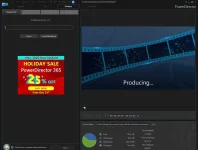
 Basta pagdating sa Produce tab, dun na po ayaw eh...