 PH
PHOpenline and Change IMEI ZLT S10G for updated firmware v2.03.3 Using Phone
para po ito sa mga zlt s10g na nag auto update na hind na mapasok ang mga hidden settings para maopenline at ma full admin
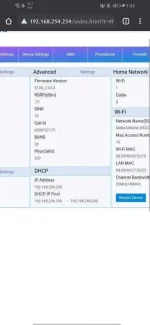
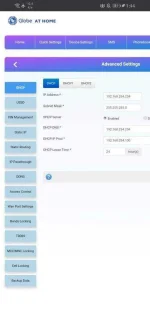
Mag react para makita, mayroon din para sa pc eto ang link
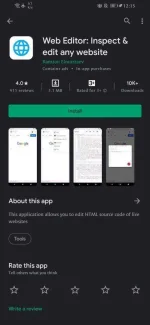
- idownload ang web editor sa playstore ito ang larawan ng app
- pag katapos idownload ang app, idownload naman ang code text file nasa baba ang link
-pumunta sa settings hanapin ang apps, app manager or applications
-hanapin ang web editor > permissions > storage
-ion ang storage permission
-buksan ang web editor app na dinownload sa playstore
-gayahin ang nasa video
View attachment SVID_20201121_012743_1.mp4
--------------------------------BIN FILES-------------------------------
huwag kakalimutang mag lagay ng credits kahit name ko lang dito sa phc pag isheshare sa kung saan saan salamat
================================================
to disable auto update credits to sir bjarnco32
You do not have permission to view the full content of this post. Log in or register now.
para po ito sa mga zlt s10g na nag auto update na hind na mapasok ang mga hidden settings para maopenline at ma full admin
Mag react para makita, mayroon din para sa pc eto ang link
- idownload ang web editor sa playstore ito ang larawan ng app
- pag katapos idownload ang app, idownload naman ang code text file nasa baba ang link
-pagkatapos idownload ang code text file buksan at iselect all, copyYou do not have permission to view the full content of this post. Log in or register now.
-pumunta sa settings hanapin ang apps, app manager or applications
-hanapin ang web editor > permissions > storage
-ion ang storage permission
-buksan ang web editor app na dinownload sa playstore
-gayahin ang nasa video
View attachment SVID_20201121_012743_1.mp4
--------------------------------BIN FILES-------------------------------
bin file ko: You do not have permission to view the full content of this post. Log in or register now.
=hindi ko pa po pala na add ang 51503 sa aking bin sa mcc/mnc locking paki add nalang po para magamit ang ibang sim=Bin details
ssid: GlobeAtHome_852C3
pass: C91A67C3
User Account
username: user
password: @ l03e1t3 (wala pong space pagkatapos ng "@")
Bin file ni sir acm29: AMC29 BIN FILE
Bin details
ssid: GlobeAtHome_3ECEC
pass: sunsimvpn or D83EFFD1
Admin Account
username: admin
password: kpS5apCb
User Account
username: user
password: @ l03e1t3 (wala pong space pagkatapos ng "@")
========================================================ang mga bin na ito ay inedit na para ma disable ang auto update
huwag kakalimutang mag lagay ng credits kahit name ko lang dito sa phc pag isheshare sa kung saan saan salamat
================================================
feedback po ito ay tulong natin para sa mga nag oonline class
to disable auto update credits to sir bjarnco32
sa mga hind alam kung pano mahanap ang sariling bin file ng kanilang zlt s10g click the link below pero kailangan naka connect kayo sa zlt s10g nyo bgo nyo to iclick@bjarnco32
Firmware updating is done remotely via TR-069. To disable firmware updating, simply set these config values as follows:
Code:tr069_app_enable=0 tr069_PeriodicInformEnable=0 tr069_PeriodicInformEnable1=0
You do not have permission to view the full content of this post. Log in or register now.

