 PH
PHShare ko lang itong simple script using android phone and pc.
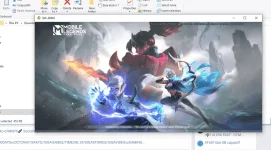
Imirror natin yung android natin sa pc.
Needed: data link/android cp/and windows pc
Steps:
-punta lang sa setting ng phone mo and activate mo yung develover mode
Then go to USB DEBUGGING(activate)
- isaksak ang phone sa data link na nakasaksak sa pc
-open script run adb.exe and scrpy-nonconsole.exe
Then wait mo na mirror yung cp mo.
Eto po link
Thanks
You do not have permission to view the full content of this post. Log in or register now.
Imirror natin yung android natin sa pc.
Needed: data link/android cp/and windows pc
Steps:
-punta lang sa setting ng phone mo and activate mo yung develover mode
Then go to USB DEBUGGING(activate)
- isaksak ang phone sa data link na nakasaksak sa pc
-open script run adb.exe and scrpy-nonconsole.exe
Then wait mo na mirror yung cp mo.
Eto po link
Thanks
You do not have permission to view the full content of this post. Log in or register now.
