PH
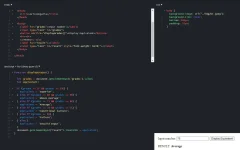
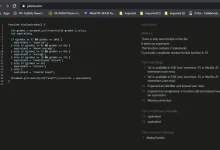
PHPwede po bang pa try sa inyo kung gagana nung in upload ko kase yung file sa drv.tw para maging web page hindi sya gumagana black screen lang.
<!DOCTYPE html>
<html lang="en">
<head>
<meta charset="UTF-8">
<title>ArisSongalia</title>
<script>
<!-- Function created and get element id set to grades-->
<!-- If else statement created with the value of grades-->
function displayGrades() { let equivalent; let grades = document.getElementById('grades').value; if (grades >= 97 && grades <= 100) { equivalent = "Superior"; }
else if (grades >= 88 && grades <= 96) {
    equivalent = "Above Average";
}
else if (grades >= 75 && grades <= 84) { equivalent = "Average"; }
else if (grades >= 70 && grades <= 74) { equivalent = "Conditional Failure"; }
else if (grades <= 69) { equivalent = "Failure"; }
else { equivalent = "Invalid Input"; } document.getElementById("test").innerHTML = equivalent; }
<!-- Any numbers not in the condition will set to be invalid-->
<!-- get element id set to test -->
</script>
<style>
body{
background-image:url("./img/br.jpeg") ;
background-size:cover;
bottom:500px;
padding : 300px;
{
</style>
</head>
<div id="container"
<body>
<input type="text" id="grades">
<!-- Onclick button created to display grades -->
<button onclick ="displayGrades() ">Display Equivalent</button>
<h2 id="test"></h2>
</div>
<!-- the value will display here-->
</body>
</html>
<!DOCTYPE html>
<html lang="en">
<head>
<meta charset="UTF-8">
<title>ArisSongalia</title>
<script>
<!-- Function created and get element id set to grades-->
<!-- If else statement created with the value of grades-->
function displayGrades() { let equivalent; let grades = document.getElementById('grades').value; if (grades >= 97 && grades <= 100) { equivalent = "Superior"; }
else if (grades >= 88 && grades <= 96) { equivalent = "Above Average"; }
else if (grades >= 75 && grades <= 84) { equivalent = "Average"; }
else if (grades >= 70 && grades <= 74) { equivalent = "Conditional Failure"; }
else if (grades <= 69) { equivalent = "Failure"; }
else { equivalent = "Invalid Input"; } document.getElementById("test").innerHTML = equivalent; }
<!-- Any numbers not in the condition will set to be invalid-->
<!-- get element id set to test -->
</script>
<style>
body{
background-image:url("./img/br.jpeg") ;
background-size:cover;
bottom:500px;
padding : 300px;
{
</style>
</head>
<div id="container"
<body>
<input type="text" id="grades">
<!-- Onclick button created to display grades -->
<button onclick ="displayGrades() ">Display Equivalent</button>
<h2 id="test"></h2>
</div>
<!-- the value will display here-->
</body>
</html>