 PH
PHDroidCam turns your Android device into a webcam. Use it with common chat & conference programs, and with live streaming & broadcast programs like OBS.
The app works with a PC Client component that installs the webcam drivers, and connects the computer with your Android device. Windows and Linux clients are available. Visit You do not have permission to view the full content of this post. Log in or register now. on your computer to download, install, and get more info on usage.
It is recommended that you try the FREE version of DroidCam first to make sure everything works (PC client is same for both versions).
DroidCamX Features:
- Chat using "DroidCam Webcam" on your computer, including Sound and Picture.
- Connect over Wifi or USB cable*.
- 720p video in HD Mode.
- 'FPS Boost' setting**.
- Use other (non camera) apps with DroidCamX in the background.
- IP webcam MJPEG access (access camera via a browser or from another phone/tablet/etc).
- Camera controls: auto focus, zoom, flash light, and more.
- Save image frames to SD Card on mobile device or on PC via Windows Client.
- Extended controls on the Windows Client: Mirror, Flip, Brightness, Contrast, etc.
- Simple and efficient: no ads, no bloatware. What you see is what you get.


Note:
Gumagana yung app for android at windows and ginamit ko sa ms teams maayos naman.
Apk
You do not have permission to view the full content of this post. Log in or register now.
Exe
You do not have permission to view the full content of this post. Log in or register now.
################################
# kung sino pong mabait, may makakapagbigay po ba ng apps na ito, need lang po for programming TIA
#################################>You do not have permission to view the full content of this post. Log in or register now.<<
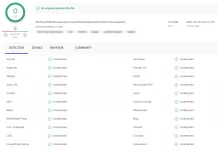
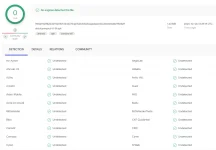

 but everything works well. kudos!