PH
PH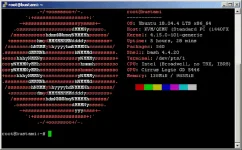

In this article, I will share the auto install SSH and OpenVPN scripts for VPS Ubuntu 18.04 64 bit.
This script has the same features as the SSH and OpenVPN auto install script that I have shared
for Debian 9 & Debian 10..

Script Features
Following are the features of this script:
- OpenSSH, ports: 22, 444
- Dropbear, ports: 80, 143
- SSL, port: 443
- Squid3, port: 8000, 8080 (limit to IP VPS)
- Badvpn: badvpn-udpgw port 7200
- Webmin: http: // IPVPS: 10000 /
- OpenVPN: TCP 1194 and UDP 25000
- Menu script: displays a list of available commands
- Usernew script: create SSH and OpenVPN accounts
- Trial script: create SSH and OpenVPN trial accounts
- Delete script: delete SSH and OpenVPN accounts
- Check script: check user login
- Script member: check the list of SSH and OpenVPN members
- Script speedtest: VPS speedtest
- Info script: displays system information
- Script about: information about the auto install script
- VPS auto reboots every 12 at night

Terms
As usual, before executing this script, make sure that your VPS is still fresh and has not installed any applications.
Also, make sure that your VPS has a Ubuntu 18.04 64 bit operating system.
How to Install Script
Download the script with the command
# wget You do not have permission to view the full content of this post. Log in or register now.
Change the script to be executable with the command
# chmod +x ubi18.sh
5. Execute the script with the command
# ./ubi18.sh
The script installation process takes about 3-5 minutes.
After the script installation process is complete, don't forget to run the following command
# reboot
After running the reboot command, the SSH connection to the VPS will be automatically disconnected.
Wait for 1-3 minutes or more.
Credit to owner