PH
PHEagleEye04
Eternal Poster
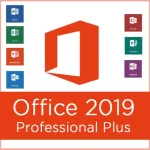
Microsoft Office 2019 Professional Plus
This is single click offline installer setup of MS Office 2019 for 32 bit and 64 bit systems.
Office 2019 Professional Plus includes all known applications such as Word, Excel and PowerPoint, as well as OneNote, 0utlook and Publisher. Furthermore, you automatically receive access for browser-based apps and Skype for Business. Simplified communication lets you collaborate more effectively with other people.
This product contains:
- Word 2019
- Excel 2019
- PowerPoint 2019
- 0utlook 2019
- OneNote 2019
- Publisher 2019
- Access 2019
- Lync 2019 (Skype for Business)
- Web Apps (Word, Excel, PowerPoint, OneNote
Microsoft word: Microsoft word is the popular documentation program. You can easily compose your necessary topics through this software. Composing, editing, formatting design can be done with this program.
Microsoft excel: it is the spread sheet analysis program. Now this recent version includes new features in this excel program.
Microsoft power point: Microsoft power point is the presentation software. any types of multimedia presentation can be made through this software by adding audio, video, image and animation.
Microsoft access: this is the most popular database analysis program. You can store your data in any of your suitable formats.
Microsoft onenote: this one is the popular note taking program. It may receive the notes in any formats like the handwritten, records, audio, display clipping and commentaries.
Microsoft one drive: this software is most widely known for the online data storage. You can store your data in online through this one net program. The Microsoft Outlook, Microsoft Publisher, Skype for Business and Microsoft Task are also available in the Microsoft office package. Thus it is complete software package for word processing and documentation.
Microsoft office 2019 Features:
- This software has easy function facility that is very easy to understand and use.
- New interface with the Microsoft office 2017 that gives new looks and facility to the user.
- It is compatible with multiple windows operating system.
- Now this software is available in the play store for android use.
- It is the perfect for live presentation and slide show.
- You can easily share the files from one office to another.
- It has thousands of function to make it more users friendly.
- The modern security dimension of this software protects your document.
- The product key can activate this software as like as it is genuine.
- It takes few seconds for activation but it will be for permanent time.
- It can unlock the premium features that are only for premium users.
Spoiler contents are visible only to Established Members.
Activation:
Use your preferred ac†ïvâ†ør for office 2019
suggested ac†ïvâ†ør =~> You do not have permission to view the full content of this post. Log in or register now. You do not have permission to view the full content of this post. Log in or register now. or You do not have permission to view the full content of this post. Log in or register now. internet connection required
How to update Office apps on Windows 10
To update the suite of Office apps to the latest version, use these steps:
Note: The interface may look a slightly different depending on the version of Office that you're running, but the steps are the same.
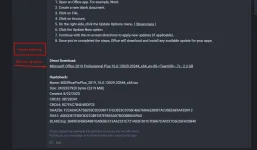
- Open an Office app. For example, Word.
- Create a new blank document.
- Click on File.
- Click on Account.
- On the right side, click the Update Options menu. ( You do not have permission to view the full content of this post. Log in or register now. )
- Click the Update Now option.
- Continue with the on-screen directions to apply new updates (if applicable).
- Once you've completed the steps, Office will download and install any available update for your apps.
Direct Download:
You do not have permission to view the full content of this post. Log in or register now.
Hashcheck:
Name: MSOfficeProPlus_2019_16.0.13029.20344_x64.iso
Size: 2432337920 bytes (2319 MiB)
Created: 8/22/2020
CRC32: 38732D41
CRC64: 8C7FAC7B4E4DDFCE
SHA256: F22A0ACA756E95C3D338F11FEC823C5706F466768AEE8DB7AC30EE685AFEB912
SHA1: A0EDDE7E50F3D21DBFC87E9855A07BCDBBD659A0
BLAKE2sp: 3689D3FBB548810A0EBE513A62231E721AB3F201C7DBA7CA0231C6E26FA20B40