PH
PHIf your intended use for IDM is to work 100% like it should, then this guide is not for you. And by "100%" is having to "manually" copy download links to IDM instead of catching file links from your web browser to IDM. And, if, you're fine with little work to download your files without using untrusted 𝐜𝐫𝐚𝐜𝐤𝐬, then proceed with this guide. Take note I do not held any misfortune you have with this guide due to its minor inconveniences.
All links are shown on the bottom of this post.
The purpose of this tutorial is to avoid getting viruses into your PC because you randomly trust and download cracked files. With this tutorial, it's 100% clean and safe from dangerous and risky cracked programs. All links shared are from the legit sources so there's no need to be scared.
This is an easy 1-2-3 steps guide on how to enjoy IDM without cracking it. We will take advantage of its free trial for lifetime, and that's the neat trick(if you call it that way) to enjoy it.
 Step 1 - Downloading and Installing the necessities
- Internet Download Manager
- Sandboxie
Step 2 - InstallationOnce you're done with installing Sandboxie, follow these next steps.
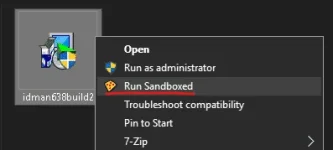
● Right click IDM installer then select Run Sandboxed
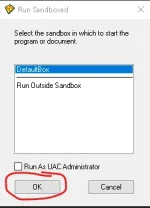
● Click OK
● Then click next, I accept, next, next, then finish.
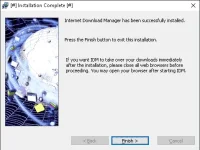
Note: The Title Bar must appear with '[#] <program> [#]' or else you failed following the steps.
● Now, you're done with installations. Things like this may appear:
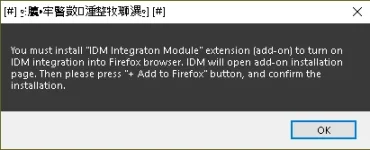
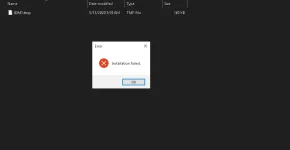
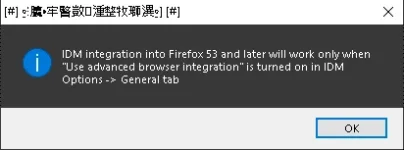
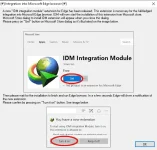
Simply press OK/YES/ACCEPT/etc then you're good.
Note: No need to worry about 'Installation Failed' as you can still use IDM normally.
Step 3 - Complete Done!The next step is to open IDM and start it.
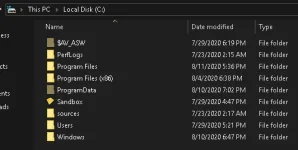
● Go to C:\Sandbox\[redacted]\DefaultBox\drive\C\Program Files (x86)\Internet Download Manager then right click and select Run Sandboxed
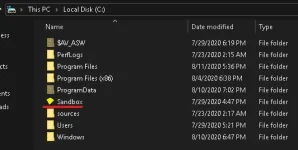






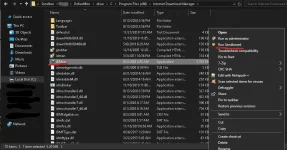
● When you run IDM through Sandboxie, this error will pop up:
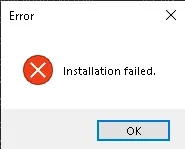
That's completely normal, just click OK and wait for it to load.
View attachment 924410
Here it is! It's done! Take note of the [#] between the program name to ensure you're running it on Sandboxie
Here is my IDM using the trick
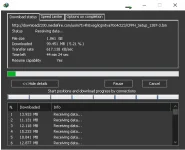
Unregistered version is still exactly the same as Registered version. The only difference is the time trial limit.
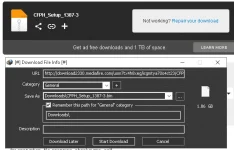
Q: How To Download With IDM Manually?
A: Right Click your download file link then copy link address and paste it on IDM
Q: The Download Now button on videos does not appear? Fix!
A: Since it's ran using this trick, it obviously won't work because IDM is stored separately from your computer. That is reason of the DISCLAIMER at the top.
Download Links:
Internet Download Manager - You do not have permission to view the full content of this post. Log in or register now.
Sandboxie - You do not have permission to view the full content of this post. Log in or register now. / You do not have permission to view the full content of this post. Log in or register now. / You do not have permission to view the full content of this post. Log in or register now.
Note: I will not be posting my own upload of Sanboxie as it would defeat the purpose of legit and trust of the source.
Now for the last part to receive lifetime trial of IDM, the only thing you have to do next is Delete the entire contents of Default Box and reinstall IDM
If needed, I will make a tutorial for removing and reinstalling IDM since PHC only have 20 images attachment limit.