 PH
PHSa mga may blogger dyan at sa mga may sariling website. Pwedeng pwede ito for extra income. Just follow the steps below.
1. Create a blog or website (Kung meron na talon ka sa #2)
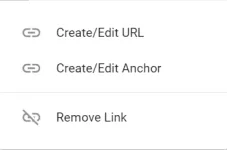
2. Create URL link. (Blogger gamit ko. Kung knows mo na this sa #3 ka na.)
3. Punta ka sa CoinMG account mo. Kung wala ka pa account. Sali ka dito >>>>> You do not have permission to view the full content of this post. Log in or register now.
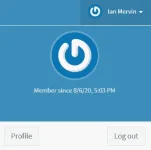
4. Setup mo muna account mo sa You do not have permission to view the full content of this post. Log in or register now.. Click mo name mo sa upper right corner, may kasamang I/O logo. Then Choose profile.
5. Kapag na setup mo na ang profile mo sa You do not have permission to view the full content of this post. Log in or register now.. Mag sesetup naman tayo ng URL mo.
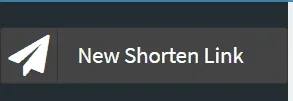
a. Click mo lang ang New Shorten Link.
b. Kapag naclick mo na. Ilagay mo lang ang URL na gusto mo gamitin. Sa alias mas prefer ko ang 6 random letters and numbers. Sa domain gamit ko ang coinmg at sa expiration 2030.

6. Kapag nafill up na. Click shorten at lilitaw ang link. Yun naman ang ipapaste mo sa #2 step.
7. Enjoy earning.
Kung wala ka pang coinmg,
Click this >>>>>>> You do not have permission to view the full content of this post. Log in or register now.
1. Create a blog or website (Kung meron na talon ka sa #2)
2. Create URL link. (Blogger gamit ko. Kung knows mo na this sa #3 ka na.)
3. Punta ka sa CoinMG account mo. Kung wala ka pa account. Sali ka dito >>>>> You do not have permission to view the full content of this post. Log in or register now.
4. Setup mo muna account mo sa You do not have permission to view the full content of this post. Log in or register now.. Click mo name mo sa upper right corner, may kasamang I/O logo. Then Choose profile.
5. Kapag na setup mo na ang profile mo sa You do not have permission to view the full content of this post. Log in or register now.. Mag sesetup naman tayo ng URL mo.
a. Click mo lang ang New Shorten Link.
b. Kapag naclick mo na. Ilagay mo lang ang URL na gusto mo gamitin. Sa alias mas prefer ko ang 6 random letters and numbers. Sa domain gamit ko ang coinmg at sa expiration 2030.
6. Kapag nafill up na. Click shorten at lilitaw ang link. Yun naman ang ipapaste mo sa #2 step.
7. Enjoy earning.
Kung wala ka pang coinmg,
Click this >>>>>>> You do not have permission to view the full content of this post. Log in or register now.
