PH
PHPara ito sa mga di pa marunong gumamit na cookies.
Check may post if gusto niyo mag try ng mga cookies,
may SPOTIFY COOKIES ako sa dun.

Sample working spotify cookie
Steps on how to use Cookies!
1. Open your browser and search for cookie editor and add to your extension

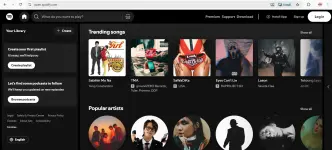
2.Open spotify site. Wag ka mag login if gusto mo cookies gagamitin mo
3. at the upper right corner may extension diyan na cookie editor, pin mo if gusto mo madali makita. click mo yan.
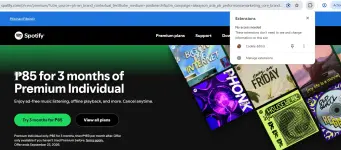
4. Click this site
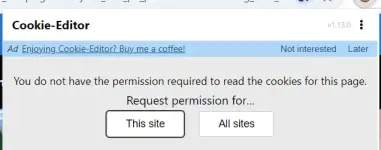
5. click delelte
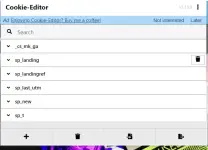
6. After ma delete, click mo import at lagay mo cookies mo.
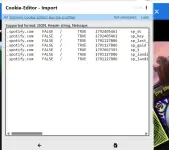
7. Click import.
8. Refresh the site
9 . Done!
10. Feedback if working
Check may post if gusto niyo mag try ng mga cookies,
may SPOTIFY COOKIES ako sa dun.
Sample working spotify cookie
You do not have permission to view the full content of this post. Log in or register now.
1. Open your browser and search for cookie editor and add to your extension
2.Open spotify site. Wag ka mag login if gusto mo cookies gagamitin mo
3. at the upper right corner may extension diyan na cookie editor, pin mo if gusto mo madali makita. click mo yan.
4. Click this site
5. click delelte
6. After ma delete, click mo import at lagay mo cookies mo.
7. Click import.
8. Refresh the site
9 . Done!
10.
Feedback if working