 PH
PHFirst thing first mga ka phc paki download po itong installer natin ng microsoft word 2019 and yung Ac†ïvâ†ør natin.
Step 1: install po natin then pag tapos po ma install hanapin po natin yung ac†ïvâ†ør natin na .cmd eto po
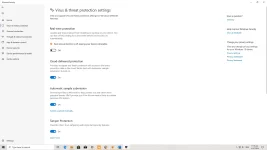
Step 2: Click po natin, make sure po i turn off muna natin si antivirus sa windows 10 naman kung wala antivirus ma i turn off po muna natin sa Virus and Threat Protection para mag run.
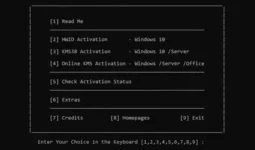
Step 4: Once na nag run na yung ac†ïvâ†ør paki select po yung number 4, Online kms ac†ïvâ†ør (Make sure na connected kayo sa internet ara ma activate sya)
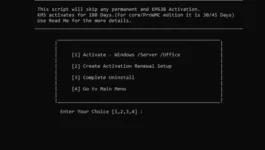
Step 5: Paki select naman yung number 1.Activate Windows Server Office then wait nyo lang.
Step 6: Ganto dapat lalabas mga ka phc.
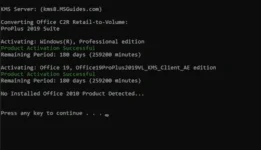
Proof:
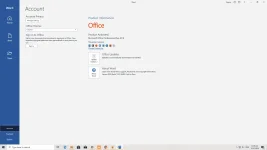
Keep safe mga ka phc! Follow nyo lang yung steps thank you!
Step 1: install po natin then pag tapos po ma install hanapin po natin yung ac†ïvâ†ør natin na .cmd eto po
Step 2: Click po natin, make sure po i turn off muna natin si antivirus sa windows 10 naman kung wala antivirus ma i turn off po muna natin sa Virus and Threat Protection para mag run.
Step 4: Once na nag run na yung ac†ïvâ†ør paki select po yung number 4, Online kms ac†ïvâ†ør (Make sure na connected kayo sa internet ara ma activate sya)
Step 5: Paki select naman yung number 1.Activate Windows Server Office then wait nyo lang.
Step 6: Ganto dapat lalabas mga ka phc.
Proof:
Keep safe mga ka phc! Follow nyo lang yung steps thank you!
