 PH
PHEagleEye04
Eternal Poster
USB Safely Remove is a USB device manager. It saves time and extends user abilities on active work with flash drives, portable drives, card readers and other gadgets. The main disadvantage of using the built-in Windows safe removal tool is that in case of having several hot-plug devices it is quite difficult to recognize a device that needs to be stopped. Most devices have the same name: “USB mass storage device”. In addition, Windows does not let you hide a device you would not want to stop from the menu. USB Safely Remove saves you from these problems and offers an original and multifunctional stopping menu, which displays actual device names with icons. Using this menu you can find and stop a device in a snap!
Features:
| Much more convenience Safely remove a device via the convenient menu or a hotkey, remove unneeded devices from the menu, setup icons or names for the devices. Besides even if you stop a device accidentally you can return it in a click. | Save data and devices Even if the device cannot be safely removed the program will show you locking processes and allow you to forcibly stop it so that you avoid incorrect removal of the device. Besides the program can power off the devices on their stopping. |
| Automate and speed up work Use command line tool in your scripts or a powerful autorun manager to automate backup to external drives, check for viruses and many more daily tasks. | Organize drive letters Clean up your drive letter list by automatic hiding letters of unused card reader slots, fix drive letters to a specific device or even forbid some letters from assigning to external drives for backup purposes or thirdparty software. |
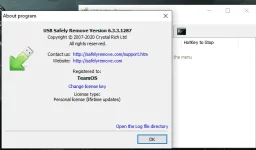
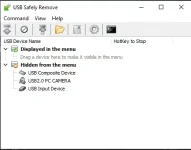
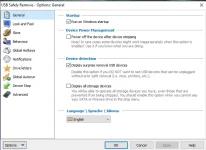
Install Note:
1. Download, Extract and run setup. (After installation completed, do not launch)
2. Copy the file in the fixed folder to installation folder. Click replace
3. Run the application, and register using the key below.
key:Q1IHAQYAVGVhbU9TAABlABCkAAAAAAAAaFQSNXYabIX3igtQMxfmjEZn9XoooEqniiaL9XeOl7KMrlT2A1bqYA==
4. That's all! Enjoy!
Download Link:
| uploadrar | userdrive |
|---|---|
| You do not have permission to view the full content of this post. Log in or register now. | You do not have permission to view the full content of this post. Log in or register now. |
 . thanks lods