PH
PHThe Real One
Forum Expert

CCleaner - application for the optimization of the system and safety of the user. After downloading the utility on diakov.net you can remove unused and temporary files created by Windows work faster and free up space on hard drives.
Removes the browsing history, cookies, temporary files and download history in all popular browsers - Internet Explorer, Opera, Firefox, Google Chrome, Safari.
Uninstalling in Windows work traces
clipboard, temporary files, Windows log files, recent document list (in the Start menu), search history, recycle bin files, memory dumps, outdated data Prefetch in Windows XP.
Cleaning data from other programs,
CCleaner also cleans temporary files and lists of recently opened files of other programs, such as: Media Player, Safari, eMule, Kazaa, Google Toolbar, Netscape, MS Office, Nero, Adobe Acrobat, WinRAR, WinAce, WinZip and other .. .
Cleaning and optimizing the registry
Cleaner built into the program registry allows you to carry out diagnostics, identifying problems and determining the unused entries. Removed unused file extensions, ActiveX controls, ClassID, ProgID, shared DLL libraries, references to deleted from the system fonts, help files, icons, invalid shortcuts and more.
Using CCleaner is safe for the system
This program is designed to be simple and safe to use. CCleaner contains several test levels, so you can be absolutely sure not to remove any information necessary for the operation of the system.
Another useful feature - complete erasure of files
CCleaner is still completely remove the files from the disc with the function of a number of write cycles that can not restore them in any way.
In addition to cleaning the Windows, CCleaner is also able to carry out the removal of temporary and other unnecessary files to many other programs, including:. Firefox, Opera, Media Player , eMule, Kazaa, Google Toolbar, Netscape, Office XP, Nero, Adobe Acrobat, WinRAR, WinAce, WinZip etc ...
CCleaner has been made for the safe use. He has a lot of security check levels, in order to be sure that will not be erased anything necessary and useful. For the very suspicious and cautious user is provided as a backup system.


1. Unzip The Archive Files
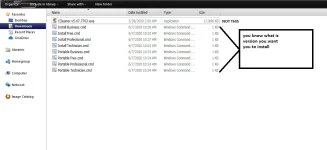
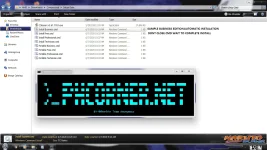
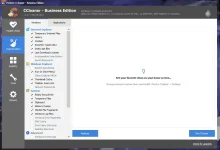
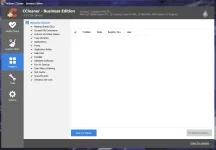
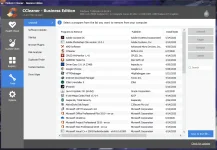
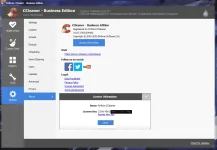
2 . click RUN" CMD.bat Automatic Installation, nope the Application Look this my screenshot
3. Enjoy


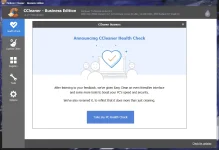

Virus free! 100% clean!
CCleaner.v5.67.7763.exe : You do not have permission to view the full content of this post. Log in or register now.
MD5 b1cc249fc5756ae1ee4fd6e3b29818f6
SHA-1 69b36d4b3c2c149c5bed84c4bfb8650463e4900d
SHA-256 8364bddb1574909e242bf500799960a2e6f58bc605b145263f7a66b30fb7827b

File Type: rar
File Size: 17.4MB
Silent Installers: Yes
CE-ehancer: Yes | Included
Activation: Self-Blooing | Repack

Mediafire,Mega ,Dropmb