 PH
PHLooking for Ashampoo Burning Studio 15 for free?
You came to the right place.
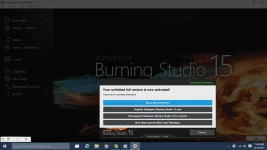
Ashampoo Burning Studio 15 is everything you asked for. Discover the easy way to achieve professional results with an incredible intuitive, compact, yet immensely powerful Ashampoo Burning application. Video DVDs with fully-animated menus, music CDs with individually designed covers, password-protected data backups and so much more just a few mouse clicks away. Turn your photos into slideshows, add music and comments or save your CD collection to your hard disk. Burning Studio 15 takes full advantage of your PC's capabilities to make the most out of your movies, photos and songs. Ashampoo Burning Studio 15 - everything you need.
Always ready, always the right feature. Burn data, music and videos to CD, DVD and Blu-ray and design individual menus for your movie discs. Use multi-session recording and other advanced features to create Autostart and bootable discs, spread large amounts of data across multiple discs automatically with disc spanning and encrypt sensitive information right from within the application.

Multimedia allrounder
More leeway for creatives. Turn photos and videos into stunning presentations with various templates, stir emotions with music and sound effects or provide your own voice narration. Music enthusiasts will love the built-in sound editing support and the ability to create audio CDs complete with booklet and cover in no time.

Reliable archivist
Keep your precious data safe. Back up files to DVD/Blu-ray or hard disk with password protection. Create backups from external drives and update existing archives. For maximum durability, use the new M-DISC support. It's like engraving your life in stone!

Intuitive, robust and flexible
Usability is king! From start page to settings dialog, Ashampoo Burning Studio 15 comes with a well-rounded, intuitive user interface in over 40 languages. The engine, the technical backbone, has undergone thousands of testing hours and guarantees stability and reliability for you and your data. You can customize the program's appearance with various existing skins or create your own for the first time.
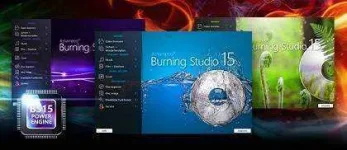
Highlights
 Burn & Copy your data to Blu-ray, DVD and CD
 Extract and burn your music. Rely on a vast array of supported formats.
 Automatic cover search provides visually polished playlists
 Made to last a lifetime with M-Disc: Keep your data safe with you for 1,000 years, not in the cloud
 Turn your photos into slideshows, burn and share your creations with friends and family
 Support for multi-layer BDXL discs with up to 128 GByte of storage
 Give your creations a professional look with custom-made start menus
 Blazingly fast video encoding with optimized multi-core support
 Use built-in encryption and keep your sensitive data secure
 Enjoy automated backups with mobile end user devices - thanks to the backup tool
 Make your movies a feast for the eyes with Full HD support in 720p and 1080p
 Feel right at home - A unified user experience across Ashampoo products requires no lengthy getting used to
 Spread large amounts of data across multiple discs automatically with disc spanning
 Protect yourself against data loss and burn system images
Ashampoo® Burning Studio 15 – Tailor-made for you
It`s a perfect instrument for burning discs.
Ashampoo Burning Studio 15 is a software product which covers a lot of users for its versatility. This version has many great improvements and innovations and now it is a perfect instrument for burning discs. Despite having a huge set of functionality that is built into the program, its simplicity and intuitiveness are great.
HOW TO GET THE FULL VERSION OF Ashampoo® Burning Studio 15
The instructions are very simple
1. Download the setup directly from the You do not have permission to view the full content of this post. Log in or register now. and install.
2. Do not open yet after installation.
3. Copy the ρá†ch ash_inet2.dll to install folder Root\program files(x86)\Ashampoo\Ashampoo Burning Studio 15. Replace file if any.
4. ENJOY.
You came to the right place.
Ashampoo Burning Studio 15 is everything you asked for. Discover the easy way to achieve professional results with an incredible intuitive, compact, yet immensely powerful Ashampoo Burning application. Video DVDs with fully-animated menus, music CDs with individually designed covers, password-protected data backups and so much more just a few mouse clicks away. Turn your photos into slideshows, add music and comments or save your CD collection to your hard disk. Burning Studio 15 takes full advantage of your PC's capabilities to make the most out of your movies, photos and songs. Ashampoo Burning Studio 15 - everything you need.
- Ashampoo Burning Studio 15 represents 15 years of developing experience with burning software used and trusted by more than 12 million users
- Available in over 40 languages with satisfied customers in over 200 countries
- Trust the most renowned label in burning software: Ashampoo® Burning Studio
Always ready, always the right feature. Burn data, music and videos to CD, DVD and Blu-ray and design individual menus for your movie discs. Use multi-session recording and other advanced features to create Autostart and bootable discs, spread large amounts of data across multiple discs automatically with disc spanning and encrypt sensitive information right from within the application.
Multimedia allrounder
More leeway for creatives. Turn photos and videos into stunning presentations with various templates, stir emotions with music and sound effects or provide your own voice narration. Music enthusiasts will love the built-in sound editing support and the ability to create audio CDs complete with booklet and cover in no time.
Reliable archivist
Keep your precious data safe. Back up files to DVD/Blu-ray or hard disk with password protection. Create backups from external drives and update existing archives. For maximum durability, use the new M-DISC support. It's like engraving your life in stone!
Intuitive, robust and flexible
Usability is king! From start page to settings dialog, Ashampoo Burning Studio 15 comes with a well-rounded, intuitive user interface in over 40 languages. The engine, the technical backbone, has undergone thousands of testing hours and guarantees stability and reliability for you and your data. You can customize the program's appearance with various existing skins or create your own for the first time.
Highlights
Burn & Copy your data to Blu-ray, DVD and CD Extract and burn your music. Rely on a vast array of supported formats. Automatic cover search provides visually polished playlists Made to last a lifetime with M-Disc: Keep your data safe with you for 1,000 years, not in the cloud Turn your photos into slideshows, burn and share your creations with friends and family Support for multi-layer BDXL discs with up to 128 GByte of storage Give your creations a professional look with custom-made start menus Blazingly fast video encoding with optimized multi-core support Use built-in encryption and keep your sensitive data secure Enjoy automated backups with mobile end user devices - thanks to the backup tool Make your movies a feast for the eyes with Full HD support in 720p and 1080p Feel right at home - A unified user experience across Ashampoo products requires no lengthy getting used to Spread large amounts of data across multiple discs automatically with disc spanning Protect yourself against data loss and burn system imagesAshampoo® Burning Studio 15 – Tailor-made for you
It`s a perfect instrument for burning discs.
Ashampoo Burning Studio 15 is a software product which covers a lot of users for its versatility. This version has many great improvements and innovations and now it is a perfect instrument for burning discs. Despite having a huge set of functionality that is built into the program, its simplicity and intuitiveness are great.
HOW TO GET THE FULL VERSION OF Ashampoo® Burning Studio 15
The instructions are very simple
1. Download the setup directly from the You do not have permission to view the full content of this post. Log in or register now. and install.
2. Do not open yet after installation.
3. Copy the ρá†ch ash_inet2.dll to install folder Root\program files(x86)\Ashampoo\Ashampoo Burning Studio 15. Replace file if any.
4. ENJOY.