 PH
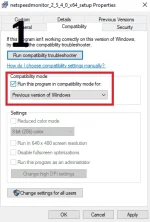
PH1. Before install. check Compatible mode for windows 10 then install
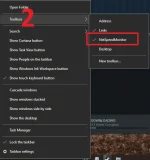
2.right lick taskbar then toolbars > netspeed monitor
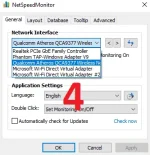
3.right click netspeed Monitor then configuration > select your network Interface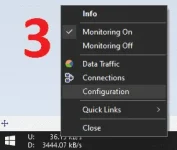
You do not have permission to view the full content of this post. Log in or register now.
2.right lick taskbar then toolbars > netspeed monitor
3.right click netspeed Monitor then configuration > select your network Interface
You do not have permission to view the full content of this post. Log in or register now.
 thanks