PH
PHThe Real One
Forum Expert


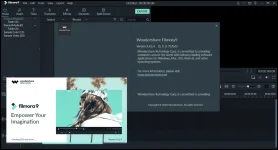
Wondershare Filmora is a professional application that allows users to create impressive movies, and edit or convert videos by using the rich collection of media processing tools that the program offers and then share them on various hosting websites. The program features a rich library of video effects, transitions, graphic elements, and titles, which the user can add to its project to create impressive clips.
Wondershare Filmora allows users to import video clips of various formats, then save them to the disk as a different type of file. The list of supported formats includes several popular extensions, such as AVI or MP4, but also WebM, TS, or MPEG-2. Furthermore, users can export the audio streams only, as MP3s or the video in HTML5 format. Users may also save them in formats that are compatible with mobile devices or uploaded directly to hosting websites, such as YouTube, Vimeo, and Facebook. Users may also create video DVDs, with interactive menus, and burn them onto discs.
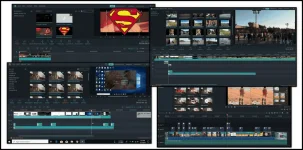
Wondershare Filmora allows users to import videos, pictures, and audio files from local folders, as well as record multimedia, using the available input devices. SD and HD recording devices are supported. Each track can be individually edited, even after being added to the timeline. Users can crop the image, trim its duration, detach the audio stream, capture snapshot, as well as adjust image attributes: contrast, brightness, or saturation.
General parameters like resolution, encoder, and bit rate can be adjusted in the creation process. The program can save user creation in various formats, so further use is made possible that way. Wondershare Filmora is a powerful application for anyone trying to make the first steps in learning video editing thanks to the easy interface, clean look, and straightforward commands. The program is intended to use complex editing functions with simple commands, making it ideal for beginners.

Change Log:The Basics:
The Advanced Tools:
- 4K Editing Support;
- GIF Support;
- Noise Removal;
- Reverse;
- Social Import;
- Speed Control;
- Frame by Frame Preview;
- Color Tuning;
- Pan and Zoom.
- Picture in Picture (PIP);
- Audio Mixer;
- Advanced Text Editing;
- Green Screen;
- Screen Recording;
- Split Screen;
- 3D Lut;
- Video Stabilization;
- Tilt Shift;
- Audio Separation;
- Scene Detection;
- Audio Equalizer.
What is new in version 9.4 (Released on December 17, 2019):
What is new in version 9.3 (Released on December 17, 2019):
- The official website does not provide any information about this release at the moment.
- Make it easier to edit to music by automatically adding beat markers to audio clips;
- 120 new animated title templates and 50 new transitions;
- Save time and effort by adding 3D LUTs as effect layers and stretching them over multiple clips for a true Hollywood look;
- Organize user clips better by linking clips together to move them as a unit;
- Edit faster by copying changes (i.e., color correction settings or applied filters) from one clip and pasting them onto other clips;
- Edit faster by splitting clips with a button on the playhead;
- One-click color correction for a fast and smart way to enhance user clips.



1. Unzip The Archive File
2. Run setup or command-line Automatic silent installation;
3. Enjoy




Virus free! No virus signature! 100% clean!
File: Wondershare Filmora 9.4.1.4.exeYou do not have permission to view the full content of this post. Log in or register now. 00/63
MD5: 7645335FB553A3B2D5A0085C53CB7139
SHA1: DE0CDF68B09BACEA07201BD620DAD412BDA4BDEC
SHA256: 512A9686961692C512A9C4E1F050B7C433393E1AF4A750C1833BDCE08AE7E79A

1.File Type: rar
2.File Size: 239.77 MB
3.Enjoy

Mediafire