PH
PHash18butuan
Enthusiast
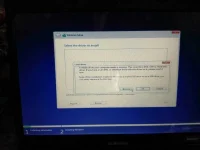
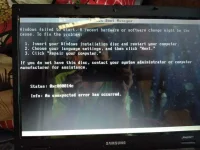 how to resolve this guys. i need your attention.please..how to resolve this guys. i need your attention.please..
prepare ka windows 7 disc or windows 7 bootable flash drivebaka master ka sa ganito papy?
..try ko sa usb bootableprepare ka windows 7 disc or windows 7 bootable flash drive
ang ganyang issue nangyayari is secure boot is enabled sa bios. disable mo muna. and set bios mode to legacy po baka naka uefi.
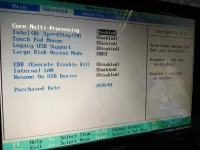
boss wala akong ganun boss ..anu lang usb legacy support .disable ko siya.try ko mag dis baleang ganyang issue nangyayari is secure boot is enabled sa bios. disable mo muna. and set bios mode to legacy po baka naka uefi.
download ka ng rufus tas piliin mo uefi non csmwala pa rin boss.
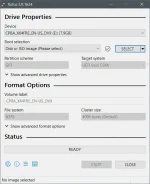
ito lang ba yunq naka solve sayu bro??
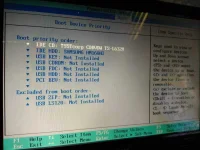
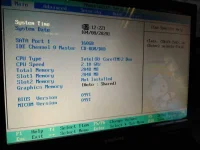
ung error mo kasi pang uefi system kagaya ng sabi ni banned, pag hindi uefi ung installer mo hindi mo makikita ung hdd. mas ok if ma picturan mo ung bios settings lalo na ung boot settingsito lang ba yunq naka solve sayu bro??