 PH
PHKo Munyeong
Forum Guru
I've been searching for days kung paano mag add ng user sa wordpress ng walang email.
Sad but it's required, but I've found a solution
Before everything else, backup your DB
and
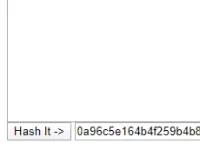
Create a hash of the password using this tool here
You do not have permission to view the full content of this post. Log in or register now.
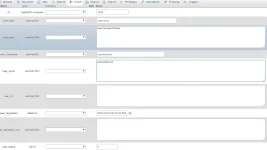
Enter other details such as user_login user_nicename display_name
Copy the hashed data and paste to user_pass
After that go to wp_usermeta table
click ulit yung insert sa taas
kung iba yung prefix ng table niyo (not wp_ which is default) palitan niyo na lang. Tulad yung sa meta_key palitan niyo ng kung anong prefix ng table niyo
Sad but it's required, but I've found a solution
Before everything else, backup your DB
and
Create a hash of the password using this tool here
You do not have permission to view the full content of this post. Log in or register now.
Enter other details such as user_login user_nicename display_name
Copy the hashed data and paste to user_pass
After that go to wp_usermeta table
click ulit yung insert sa taas
- user_id — Same ID kanina (1234) sa example ko
- meta_key – wp_capabilities
- meta_value — a:1:{s:13:"administrator";b:1;} [kung administrator] o a:1:{s:6:"editor";b:1;} [kung editor]
kung iba yung prefix ng table niyo (not wp_ which is default) palitan niyo na lang. Tulad yung sa meta_key palitan niyo ng kung anong prefix ng table niyo