 PH
PH-
Welcome to PHCorner Forums! Sign up for free to unlock full access and exclusive privileges, including:
- Asking questions about computer and mobile issues
- Discovering internet tips for your mobile network and computer
You are using an out of date browser. It may not display this or other websites correctly.
You should upgrade or use an alternative browser.
You should upgrade or use an alternative browser.
🔒 Closed Open line . Globe modem
- Thread starter Cy666
- Start date
- Status
- Not open for further replies.
WesleyVanneck
Forum Master
Ano model
King Gilgamesh
Enthusiast
Navigate to your modems homepage (usually by entering an IP address such as 192.168.8.1 into your browser address bar) and go into the Advanced Settings > Device Information. Write down your IMEI number. Alternatively, you can look inside your device, underneath the battery.
Now depending on your device’s IMEI, you’ll need to use one of the below:
Now turn off your Huawei modem device and insert an “invalid” SIM. Turn it on and go back to the device homepage. Navigate to Advanced Settings > SIM Settings > Unlock Device.
In the box asking for an unlock code, enter the code you received from the unlock calculator, and click “Apply”.
Now depending on your device’s IMEI, you’ll need to use one of the below:
- For IMEI numbers beginning with 35-, use You do not have permission to view the full content of this post. Log in or register now.
- For Imei numbers beginning with 86-, use You do not have permission to view the full content of this post. Log in or register now.
- For Huawei routers, use You do not have permission to view the full content of this post. Log in or register now.
Now turn off your Huawei modem device and insert an “invalid” SIM. Turn it on and go back to the device homepage. Navigate to Advanced Settings > SIM Settings > Unlock Device.
In the box asking for an unlock code, enter the code you received from the unlock calculator, and click “Apply”.
aztroboi16
Elite
Patapak ts
Daniel_Pogi
Forum Veteran
Salamat
King Gilgamesh
Enthusiast
Welcome bro.Salamat

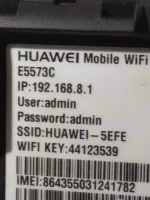
gagana ba to sa B315s-938 sir?Navigate to your modems homepage (usually by entering an IP address such as 192.168.8.1 into your browser address bar) and go into the Advanced Settings > Device Information. Write down your IMEI number. Alternatively, you can look inside your device, underneath the battery.
Now depending on your device’s IMEI, you’ll need to use one of the below:
Enter your IMEI code into one of the above calculators, press “Calculate”, and copy down the code you receive.
- For IMEI numbers beginning with 35-, use You do not have permission to view the full content of this post. Log in or register now.
- For Imei numbers beginning with 86-, use You do not have permission to view the full content of this post. Log in or register now.
- For Huawei routers, use You do not have permission to view the full content of this post. Log in or register now.
Now turn off your Huawei modem device and insert an “invalid” SIM. Turn it on and go back to the device homepage. Navigate to Advanced Settings > SIM Settings > Unlock Device.
In the box asking for an unlock code, enter the code you received from the unlock calculator, and click “Apply”.
Dodongscarface
Leecher
Pwede po sa b310as?Navigate to your modems homepage (usually by entering an IP address such as 192.168.8.1 into your browser address bar) and go into the Advanced Settings > Device Information. Write down your IMEI number. Alternatively, you can look inside your device, underneath the battery.
Now depending on your device’s IMEI, you’ll need to use one of the below:
Enter your IMEI code into one of the above calculators, press “Calculate”, and copy down the code you receive.
- For IMEI numbers beginning with 35-, use You do not have permission to view the full content of this post. Log in or register now.
- For Imei numbers beginning with 86-, use You do not have permission to view the full content of this post. Log in or register now.
- For Huawei routers, use You do not have permission to view the full content of this post. Log in or register now.
Now turn off your Huawei modem device and insert an “invalid” SIM. Turn it on and go back to the device homepage. Navigate to Advanced Settings > SIM Settings > Unlock Device.
In the box asking for an unlock code, enter the code you received from the unlock calculator, and click “Apply”.
TheshyJowker
Enthusiast
not working
- Status
- Not open for further replies.
Similar threads
-
-
-
🔵 Globe Need advice about globe modem, planning to buy for internet back up
- Started by LuciferMorningstar666
- Replies: 2
-
-
About this Thread
-
11Replies
-
1KViews
-
10Participants
Last reply from:
TheshyJowker
TheshyJowker
New Topics
-
Help Pa Admin Access B312-939
- Started by DtctiveConan
- Replies: 0
- 📡 Broadband, Modem, & Networking
-
Help Pa Admin Access po B312-939
- Started by DtctiveConan
- Replies: 0
- 📡 Broadband, Modem, & Networking
-
PLDT FiberHome HG6245D Brazilian Firmware
- Started by weah05
- Replies: 1
- 📡 Broadband, Modem, & Networking
-
-
Admin at password para sa ZTE model ZXHN F679D
- Started by TOpKILL
- Replies: 1
- 📡 Broadband, Modem, & Networking
-
FREE RAIN 101 UNLOCKER FW BUGOK 101
- Started by donamicvelazkiz
- Replies: 0
- 📡 Broadband, Modem, & Networking
-
[FREE] [APK] Rain101 Unlocker + BUGOK101 CFW [SUPER EZ]
- Started by bugok101
- Replies: 51
- 📡 Broadband, Modem, & Networking
-
Youtube No Ads DNS
- Started by cleverian
- Replies: 17
- 📡 Broadband, Modem, & Networking
Trending Topics
-
-
-
-
-
Rain101 (Anti TTL) Bypass Datamaxx 5GUnli / Sayall 5G Unli ( No Connection )
- Shuuuuuuuun
Replies: 69 -
-
-
-
Online now
- Members online
- 1,063
- Guests online
- 7,680
- Total visitors
- 8,743