 PH
PHIssue:
- Connected to vpn and internet works fine but the network status is No Internet access.

How to fix?
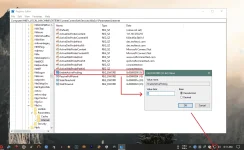
- Disable ACTIVE PROBING. Open regedit and edit the value of:
HKLM\SYSTEM\CurrentControlSet\Services\NlaSvc\Parameters\Internet
Disable by changing the value of EnableActiveProbing from 1 to 0 or you can download the registry below.
Download: You do not have permission to view the full content of this post. Log in or register now.
Other Useful Registry Tweaks:
- You do not have permission to view the full content of this post. Log in or register now.
(Enable the old photo viewer, the new one is very slow in terms of loading images)
- You do not have permission to view the full content of this post. Log in or register now.
(Use if permission is denied when deleting or renaming a file or folder)
- Connected to vpn and internet works fine but the network status is No Internet access.
How to fix?
- Disable ACTIVE PROBING. Open regedit and edit the value of:
HKLM\SYSTEM\CurrentControlSet\Services\NlaSvc\Parameters\Internet
Disable by changing the value of EnableActiveProbing from 1 to 0 or you can download the registry below.
Download: You do not have permission to view the full content of this post. Log in or register now.
Other Useful Registry Tweaks:
- You do not have permission to view the full content of this post. Log in or register now.
(Enable the old photo viewer, the new one is very slow in terms of loading images)
- You do not have permission to view the full content of this post. Log in or register now.
(Use if permission is denied when deleting or renaming a file or folder)