 PH
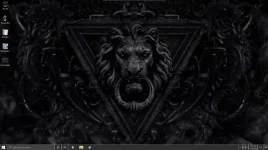
PHWindows 10 Pro x64 1909 Monochrome
Monochrome is another darker themed build for the lovers of darker colors.Comes with a few
necessary programs installed with the option to add a LOT more with the post installer.
Im also including a handy dandy PE boot environment in this build. To install Windows just
navigate to the CDROM and double click SETUP.EXE and then enjoy the ride.
About
Windows 10 Pro x64 1909 18362.592
All updates thru Jnuary 25, 2020
Language: Multi
Size: 8.36gb
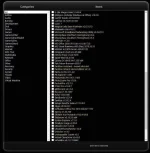
NOTE: Once Windows is finished installing, double click the "Post InstallerI" icon on the desktop
and the post installer program will open and you can choose as many programs as you like.
DVD/Flashdrive MUST be inserted for the post installer to work. DONT delete the icon til finished
installing what you want. I loaded this one up like a VIP release. DL size will be big, but install size
will be small, unless you install a LOT with the post install feature. Hope you like this one.
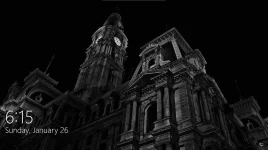
NOTE: The default theme GreyEve is a Hi-Res theme, and therefore cannot render anything but flat
greyscale for the login screen. Since this is a monochrome build I left it that way. I prefer
theme #2 W10 Dark Graphite, which gives the custom login screen (shown below).
Removed
Nothing
Disabled
Nothing
Added
StartisBack
UxThemepatcher
Ribbon Disabler
Custom Darker Themes
Pry Light Icon Pack
MS Visual Basic Updates
Right Click Enhancer
WPD (Windows Privacy Dashboard)
You do not have permission to view the full content of this post. Log in or register now.
ccto boss salamat
Monochrome is another darker themed build for the lovers of darker colors.Comes with a few
necessary programs installed with the option to add a LOT more with the post installer.
Im also including a handy dandy PE boot environment in this build. To install Windows just
navigate to the CDROM and double click SETUP.EXE and then enjoy the ride.
About
Windows 10 Pro x64 1909 18362.592
All updates thru Jnuary 25, 2020
Language: Multi
Size: 8.36gb
NOTE: Once Windows is finished installing, double click the "Post InstallerI" icon on the desktop
and the post installer program will open and you can choose as many programs as you like.
DVD/Flashdrive MUST be inserted for the post installer to work. DONT delete the icon til finished
installing what you want. I loaded this one up like a VIP release. DL size will be big, but install size
will be small, unless you install a LOT with the post install feature. Hope you like this one.
NOTE: The default theme GreyEve is a Hi-Res theme, and therefore cannot render anything but flat
greyscale for the login screen. Since this is a monochrome build I left it that way. I prefer
theme #2 W10 Dark Graphite, which gives the custom login screen (shown below).
Removed
Nothing
Disabled
Nothing
Added
StartisBack
UxThemepatcher
Ribbon Disabler
Custom Darker Themes
Pry Light Icon Pack
MS Visual Basic Updates
Right Click Enhancer
WPD (Windows Privacy Dashboard)
You do not have permission to view the full content of this post. Log in or register now.
ccto boss salamat