PH
PHitomori08kiminonawa
Fanatic
STEPS BY STEPS On how to UNLOCK your AT&T PHONE
First, on your browser click a new tab and type in You do not have permission to view the full content of this post. Log in or register now. at the address bar.
the page should look like this.
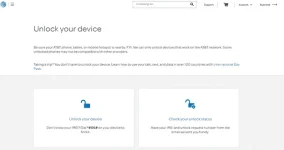
Now, click on Unlock your Device
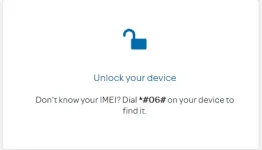
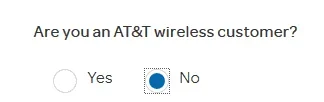
Next, on this page look for “Are you an AT&T Wireless Customer?”
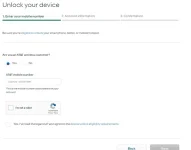
Choose the option “NO.
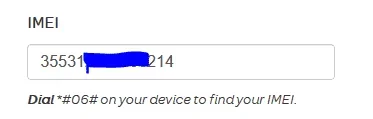
Put your IMEI on this Field,
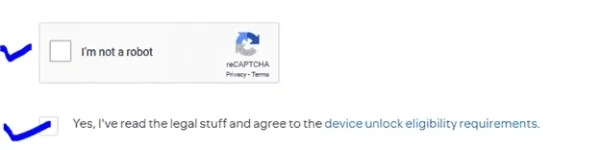
Then, tick both of the boxes here,
Then, Hit next

Now, on the Enter your Information tab, you can make up names and phone numbers and E-mail it’s up to you. But you need to put an Area code from U.S like this one. 217-444-5555.
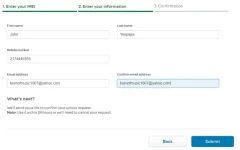
Then click on “Submit”, and you will get something like this.
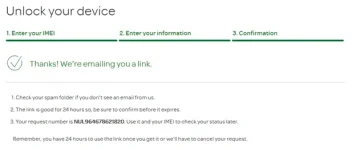
Take note of your Unlock request number highlighted in black

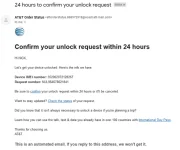
Next, Go to your E-mail inbox and should see and E-mail sent from at&t and it should like something like this.

Click the E-mail link,

And click on the magnet link confirm, and you will be prompted to this page
Now, wait for E-mail approving your request.
First, on your browser click a new tab and type in You do not have permission to view the full content of this post. Log in or register now. at the address bar.
the page should look like this.
Now, click on Unlock your Device
Next, on this page look for “Are you an AT&T Wireless Customer?”
Choose the option “NO.
Put your IMEI on this Field,
Then, tick both of the boxes here,
Then, Hit next
Now, on the Enter your Information tab, you can make up names and phone numbers and E-mail it’s up to you. But you need to put an Area code from U.S like this one. 217-444-5555.
Then click on “Submit”, and you will get something like this.
Take note of your Unlock request number highlighted in black
Next, Go to your E-mail inbox and should see and E-mail sent from at&t and it should like something like this.
Click the E-mail link,
And click on the magnet link confirm, and you will be prompted to this page
Now, wait for E-mail approving your request.