PH
PHnewbie ako sa tuts so sana maintindihan nyo,
goods ito sa mga gusto gumamit ng pc app kaso wala kang tiwala (baka virus or etc)
Yung iba , may idea na sa virtual windows by installing virtual machines (oracle..etc)
but with windows sandbox
Windows Sandbox (windows built-in virtual machine)
requirements:
Enable Windows sandbox
control panel -> programs
programs -> turn windows features on / off
turn windows features on / off -> check windows sandbox
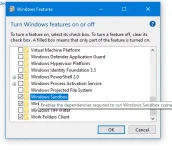
"ok" lang then wait until matapos ang pag apply , Your pc should restart
After restarting makikita mo na yung windows sandbox app sa app list mo,
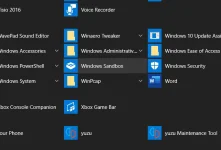
open mo lang and wait until it finishes to load
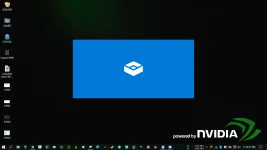
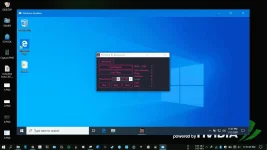
you now have a virtual window 10, pwede mo itry mga gusto mong gawin like apps na di ka sure or what, copy mo lang files then paste mo sa loob to transfer files between original and virtual
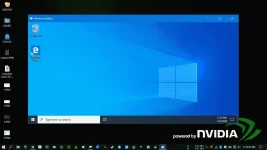
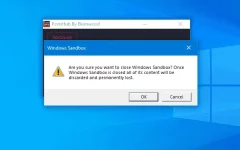
NOTE: kapag in close mo yung sandbox, magrereset ulit sya so yung mga files sa virtual is magrereset din
-zen
goods ito sa mga gusto gumamit ng pc app kaso wala kang tiwala (baka virus or etc)
Yung iba , may idea na sa virtual windows by installing virtual machines (oracle..etc)
but with windows sandbox
- no need to download and install any apps
- no need to download a windows .ISO
- no need to set-up and OS installation in virtual machine
- Created by Microsoft itself (safe) and highly optimized
Windows Sandbox (windows built-in virtual machine)
requirements:
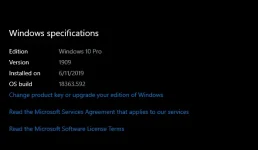
- Windows 10 (Pro) (1903 update)
- at least 4gb ram
- x64 bit architecture
- at least 2 cpu cores ( optional pero mas better)
- At least 1 GB of free disk space
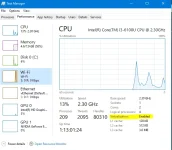
- Cpu Virtualization enabled (optional pero malaki impact sa performance)
- how to check if enabled? (ctrl + shift + esc) -> performance tab (see the highlighted part)
Enable Windows sandbox
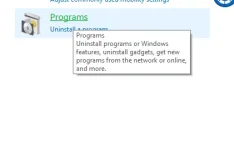
control panel -> programs
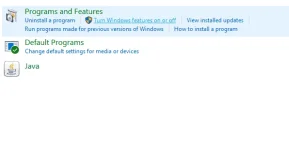
programs -> turn windows features on / off
turn windows features on / off -> check windows sandbox
"ok" lang then wait until matapos ang pag apply , Your pc should restart
After restarting makikita mo na yung windows sandbox app sa app list mo,
open mo lang and wait until it finishes to load
you now have a virtual window 10, pwede mo itry mga gusto mong gawin like apps na di ka sure or what, copy mo lang files then paste mo sa loob to transfer files between original and virtual
NOTE: kapag in close mo yung sandbox, magrereset ulit sya so yung mga files sa virtual is magrereset din
-zen