PH
PHTrick for PLDT Home Prepaid Wifi Users!
It's better to use your PC
Changing apn settings
1. Open the advance settings.
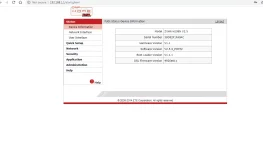
Open user router setting 192.168.1.1 (Default Username ldthome, Default Passwordldthome)
2. Open up advance setting.
In the url (192.168.1.1/login.asp) change "login.asp" to "login1.asp" and press enter then you will be redirected to the advance mode.
3. On the pannel you can see many options, look for APN under Network Settings and click on it. Then click manual > Add New
Mode: Manual
Host Name: Add New
APN Type: IPV4 (if you can acces IPV6, it's better)
Profile Name: Any (Suggest Dynamic)
APN: Dynamic
Authentication: PAP
Username & Password: Leave it Blank
4. Click Save, then click the APN again on the pannel and select the Host Name you've just created and Set as default.
Done!
Feedbacks would be appreciated!
It's better to use your PC
Changing apn settings
1. Open the advance settings.
Open user router setting 192.168.1.1 (Default Username
ldthome, Default Passwordldthome)2. Open up advance setting.
In the url (192.168.1.1/login.asp) change "login.asp" to "login1.asp" and press enter then you will be redirected to the advance mode.
3. On the pannel you can see many options, look for APN under Network Settings and click on it. Then click manual > Add New
Mode: Manual
Host Name: Add New
APN Type: IPV4 (if you can acces IPV6, it's better)
Profile Name: Any (Suggest Dynamic)
APN: Dynamic
Authentication: PAP
Username & Password: Leave it Blank
4. Click Save, then click the APN again on the pannel and select the Host Name you've just created and Set as default.
Done!
Feedbacks would be appreciated!