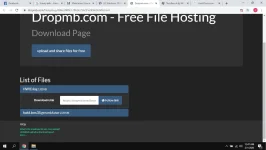
PH
PHPermanent/Lifetime license po para sa mga Windows 10 editions...
Core (Home) (N) <HWID/ KMS38™>
CoreSingleLanguage (N) <HWID/ KMS38™>
Professional (N) <HWID/ KMS38™>
ProfessionalEducation (N) <HWID/ KMS38™>
ProfessionalWorkstation (N)<HWID/ KMS38™>
Education (N)<HWID/ KMS38™>
Enterprise (N)<HWID/ KMS38™>
EnterpriseS (N) 2015 <HWID>
EnterpriseS (N) 2016 <HWID/ KMS38™>
EnterpriseS (N) 2019 <KMS38™> -38 years Activation only
ServerStandard(Core) (N) <KMS38™>
ServerDatacenterCore) (N) <KMS38™>
ServerSolution(Core) (N) <KMS38™>
STEPS:
1. Connected sa Internet, enabled ang Windows Update.
2. Disabled ang anti-virus/firewall.
3. I-extract ang Generator sa Local Disk. Run as Admin.
4. Wait lang na mag-run. Sa upper-right (Work Mode), piliin ang HWID then click "Start".
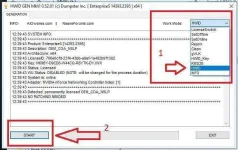
Then, check na yung Activation.
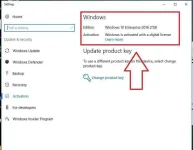
....credits po kay s1ave77 na gumawa nito...
You do not have permission to view the full content of this post. Log in or register now.
enjoy po...
Core (Home) (N) <HWID/ KMS38™>
CoreSingleLanguage (N) <HWID/ KMS38™>
Professional (N) <HWID/ KMS38™>
ProfessionalEducation (N) <HWID/ KMS38™>
ProfessionalWorkstation (N)<HWID/ KMS38™>
Education (N)<HWID/ KMS38™>
Enterprise (N)<HWID/ KMS38™>
EnterpriseS (N) 2015 <HWID>
EnterpriseS (N) 2016 <HWID/ KMS38™>
EnterpriseS (N) 2019 <KMS38™> -38 years Activation only
ServerStandard(Core) (N) <KMS38™>
ServerDatacenterCore) (N) <KMS38™>
ServerSolution(Core) (N) <KMS38™>
STEPS:
1. Connected sa Internet, enabled ang Windows Update.
2. Disabled ang anti-virus/firewall.
3. I-extract ang Generator sa Local Disk. Run as Admin.
4. Wait lang na mag-run. Sa upper-right (Work Mode), piliin ang HWID then click "Start".
Then, check na yung Activation.
....credits po kay s1ave77 na gumawa nito...
You do not have permission to view the full content of this post. Log in or register now.
enjoy po...
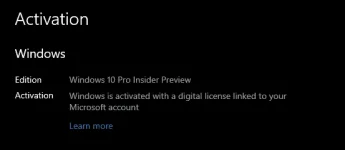
 salamat