PH
PHshare ko lang nakita kong trick sa net, ewan kung meron na nito dito. Para sa mga hindi komportable sa mata ang masydong white na screen.
Force dark mode on websites using Chrome
Some websites have their own dark modes, which will be activated automatically when you're using dark mode in Chrome. For those that don't, the browser can 'force' dark mode by inverting certain colors.
The feature isn't yet fully implemented, so you won't find it in the main menu, but you can try it out by visiting chrome://flags/#enable-force-dark and flipping the switch to 'Enabled'.
Now, if you're using Chrome in dark mode, all websites should automatically change color to match. The feature isn't perfect yet, so some sites may look a little strange, but it generally works well.
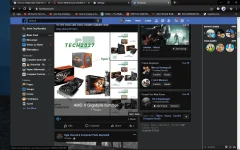
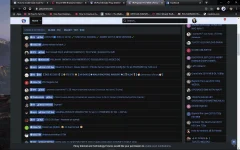
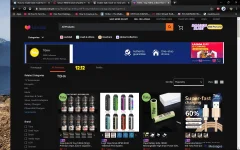
Force dark mode on websites using Chrome
Some websites have their own dark modes, which will be activated automatically when you're using dark mode in Chrome. For those that don't, the browser can 'force' dark mode by inverting certain colors.
The feature isn't yet fully implemented, so you won't find it in the main menu, but you can try it out by visiting chrome://flags/#enable-force-dark and flipping the switch to 'Enabled'.
Now, if you're using Chrome in dark mode, all websites should automatically change color to match. The feature isn't perfect yet, so some sites may look a little strange, but it generally works well.