 PH
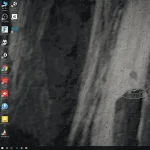
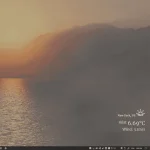
PHTry to imagine your desktop as a window, as it rains outside you see water droplets dripping down..as it snows you see it get frosted.. as sun rises & sets scenery changes realtime.
Thats the idea behind this software; What started out as a simple idea, after many months of work I present to you rePaper.
When running fullscreen applications or games rePaper will go to sleep (~0% cpu & gpu usage); no performance cost.
download site
You do not have permission to view the full content of this post. Log in or register now.
dito kayo mag download ng live wallpaper
You do not have permission to view the full content of this post. Log in or register now.
tutorial
You do not have permission to view the full content of this post. Log in or register now.
Features
Thats the idea behind this software; What started out as a simple idea, after many months of work I present to you rePaper.
When running fullscreen applications or games rePaper will go to sleep (~0% cpu & gpu usage); no performance cost.
download site
You do not have permission to view the full content of this post. Log in or register now.
dito kayo mag download ng live wallpaper
You do not have permission to view the full content of this post. Log in or register now.
tutorial
You do not have permission to view the full content of this post. Log in or register now.
Features
- Video file as wallpaper support (Hardware Accelerated Playback optional)
- Most of the processing is done via gpu shaders, low cpu usage.
- Weather effect appearance is customisable:- raindrop size, speed, blur intensity etc.
- Openweathermap API used to gather weather information. (most of these weather conditions are supported: You do not have permission to view the full content of this post. Log in or register now.)
- Real-time day/night cycle based on sunrise-sunset time.
- rePaper will pause when running fullscreen application or games (~0% cpu & gpu usage; main execution thread is stopped, background thread used for monitoring).
- rePaper will pause when application focus change (optional).
- Application rule: Set specific rePaper sleep rules based on running application.
- Ultrawide resolution support, multimonitor system support.
- Toggle windows 10 Light/Darkmode automatically based on time (optional).
- Automatically detect clock, text color based on wallpaper (picture wallpaper only).
- Your areas weather might not always be exciting, all the weather effects are user selectable.
- Customizable - adjustable performance settings (fps, blur quality) , custom UI color, different clock styles & more.
- Appears behind desktop icons.
- Brightness change based on time of day & weather - less bright when clowdy, raining.
- Can be used alongside Rainmeter.
- Additional 4 weather presets for user customisation, turn it into radioactive wasteland, extreme rain..etc
- Runs at system startup (optional).

