PH
PHbiscuitbiskwit
Enthusiast
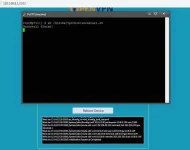
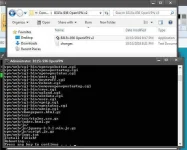
pano process nito step by step? meron ako openline n 936s eh.
pano ginawa mo papsWorking na working..hehe
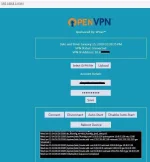
2 portal na po ang pwede mong ma access pag nalagay mo na yung OpenVPN sa modemTS RyzenV Ask po ako.
Ma aaccess po ba ang normal UI sa 936 (yung 192.168.8.1) at sa OpenVPN UI (yung 192.168.8.1:8080) at the same time? OR pagkabukas ng modem after ma flash ang openvpn client, yun na talaga lagi ang UI nya?
If gusto ko mag normal data lang at orig UI (192.168.8.1) pede ko magagamit at pede mag switch sa openvpn ui anytime sa webpage?
Balak ko kasi mag openvpn client sa 936 at normal/orig UI (using normal data lang sa SIM) sa 936, bale, magpa switch2x lang ako anytime kung gugustuhin ko. Parang 936 original UI modded firmware with built-in openvpn client sa device
install m lang paps, make sure na full admin yung modem moTutorial po pls. may openline po akong 936s
hindi naman firmware yan, installer lang yan ng openvpn,, hindi yan firmware,,hindi nag rereply c TS kulang naman sa step by step
after ko iflash wala nangyare d ma access ung 8080 inuninstall ko na ung date pero wala pa din feedback naman sa nakapag pagana sana
naka on ba data connection?? pag hindi kasi, dun talaga mag re redirect yunAno po kulang sir .
kapag inopen ko sa 192.168.8.1:8080 nag reredirect po sa 192.168.8.1/home
yes po.naka on ba data connection?? pag hindi kasi, dun talaga mag re redirect yun
screenshot po?yes po.
chaka may signal and nakaka browse